

Overview
Access Keys provide programmatic access to your project’s file containers and resources. Each access key consists of an Access Key ID and a Secret Access Key that work like AWS credentials for S3-compatible operations.Creating an Access Key
- Open your Project
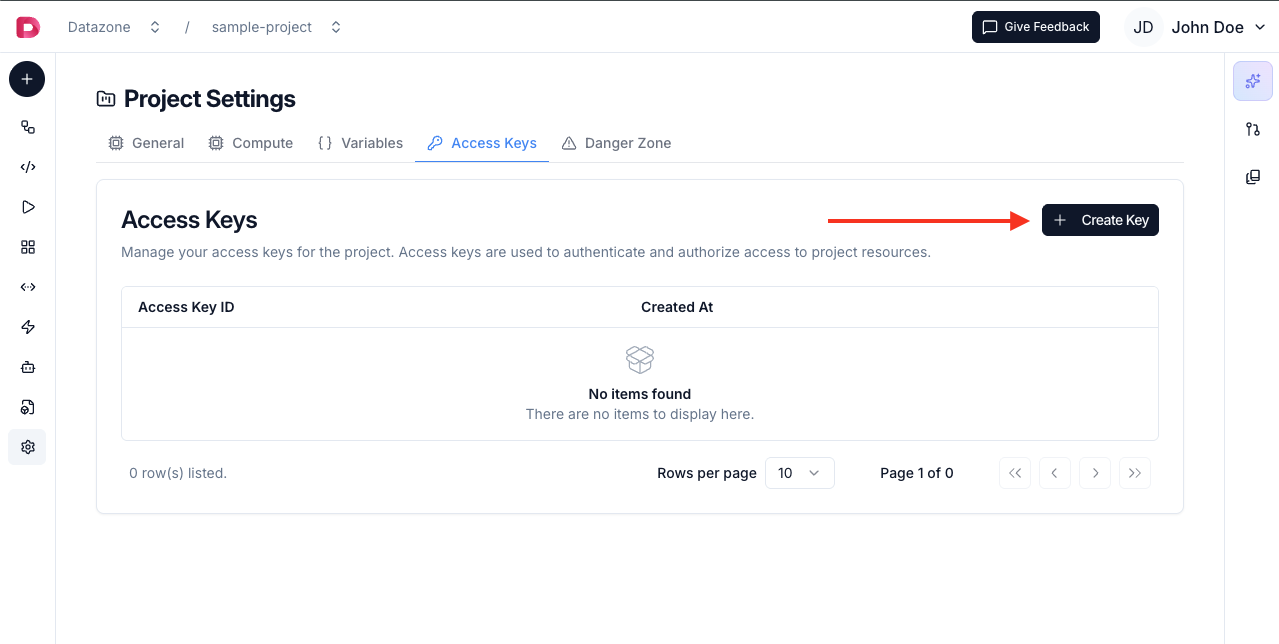
- Click Settings in the project navigation
- Navigate to Access Keys section
- Click Create Access Key
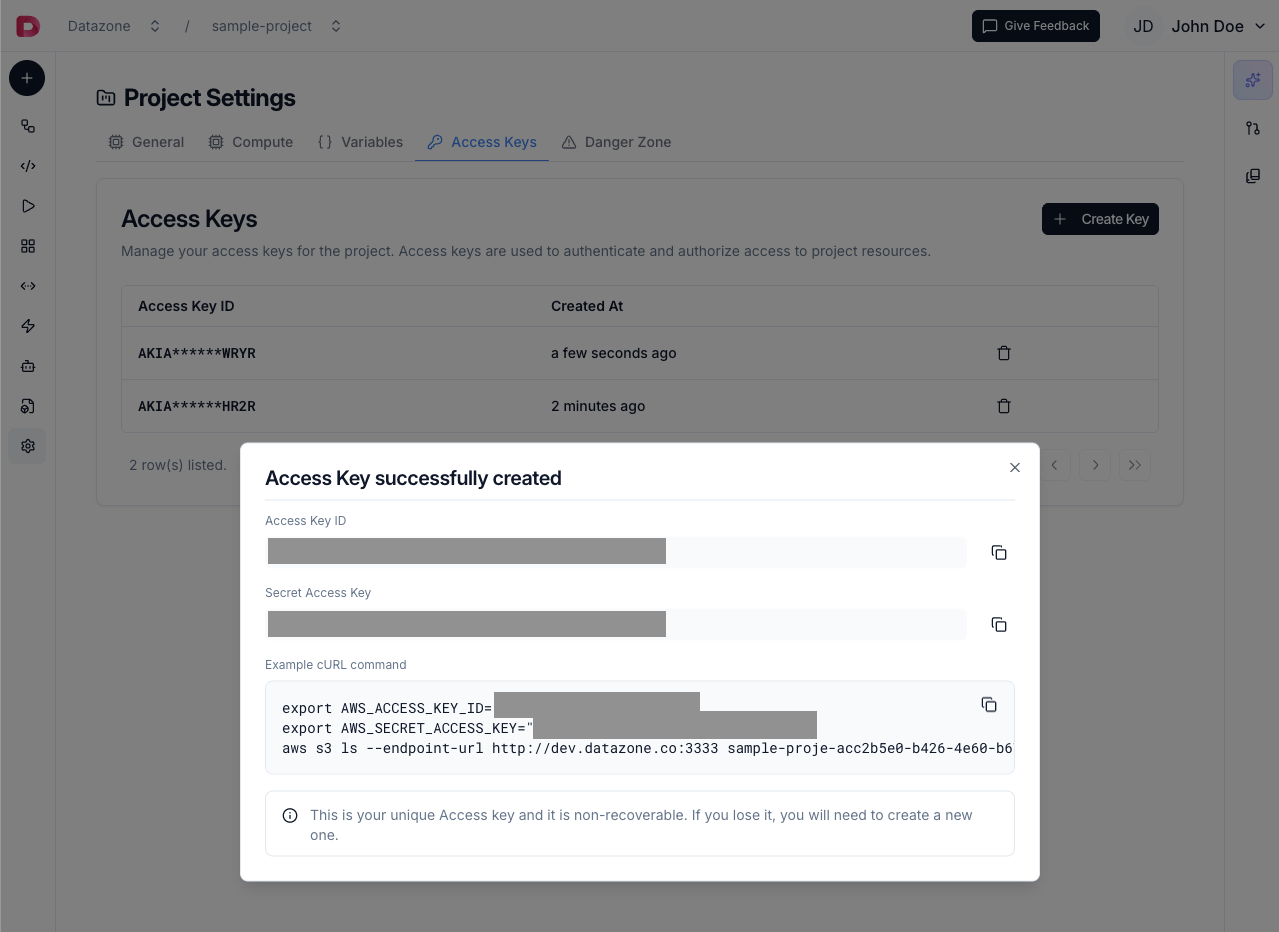
- Copy both credentials immediately - the secret key won’t be shown again
Access Key Components
Each access key has two parts:- Access Key ID - Public identifier (can be viewed anytime)
- Secret Access Key - Private credential (shown only once at creation)
Usage
Use access keys to connect to File Containers via:- AWS CLI - Standard AWS S3 commands
- Python (boto3) - S3 client operations
- JavaScript (AWS SDK) - Node.js applications
- Java (AWS SDK) - Java applications
Access keys are project-specific. Each project has its own set of access keys that only work with that project’s resources.