

SAML Authentication
Datazone supports SAML 2.0-based single sign-on (SSO), allowing you to integrate with your organization’s identity provider for centralized authentication.Overview
SAML (Security Assertion Markup Language) enables secure authentication between your SAML identity provider (IdP) and Datazone. This allows your users to access Datazone using their existing corporate credentials.Configuration
To configure SAML authentication in Datazone, you need to provide the following information from your SAML identity provider:Required Fields
You can find these values in your identity provider’s SAML configuration
settings. Refer to our provider-specific guides below for detailed
instructions.
Entity ID (Issuer)
The unique identifier for your SAML identity provider (IdP). This is typically provided by your IdP configuration and ensures that SAML assertions are validated against the correct identity provider. Example:https://accounts.google.com/o/saml2?idpid=ABC123
SSO URL (Sign-On Endpoint)
The URL where authentication requests should be sent to your IdP. When users attempt to log in to Datazone, they will be redirected to this endpoint for authentication. Example:https://sso.yourcompany.com/saml/login
Certificate
Upload the X.509 certificate from your SAML identity provider. This certificate is used to verify the authenticity of SAML assertions and ensure secure communication between Datazone and your IdP.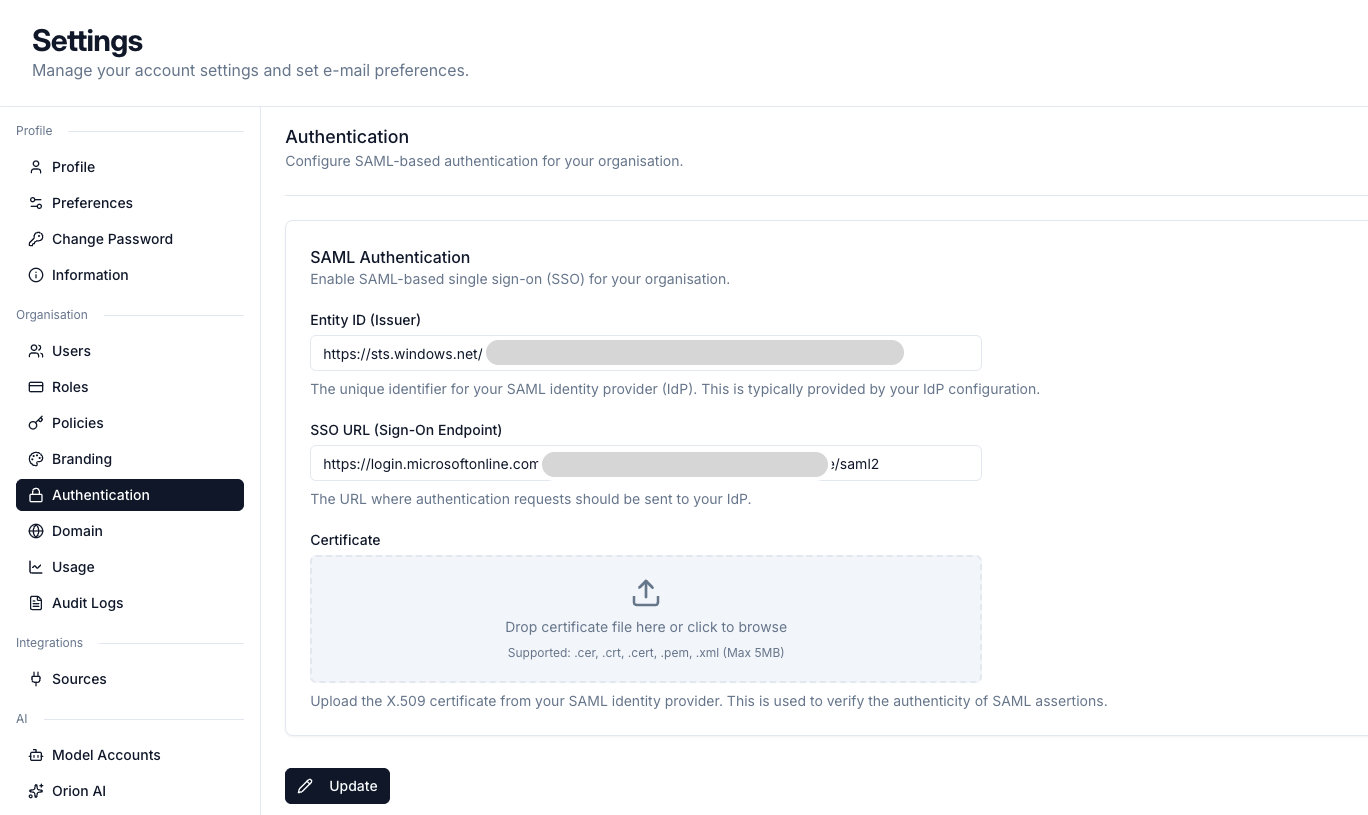
Setup Steps
- Access SAML Settings: Navigate to Settings > Authentication > SAML in your Datazone dashboard
- Enter Configuration Details: Fill in the Entity ID, SSO URL, and upload your certificate
- Save Configuration: Click “Update” to apply your SAML settings
Provider-Specific Guides
For detailed setup instructions with specific identity providers, refer to our provider guides:Azure AD (Entra ID)
Configure SAML with Microsoft Azure Active Directory
Okta
Set up SAML authentication with Okta
Google Workspace
Configure SAML with Google Workspace
Troubleshooting
Common Issues
Need help with SAML configuration? Contact our support team at
support@datazone.co