

SQL Explorer
New in v1.3.8 · May 2026 — SQL Explorer is now available in all Datazone workspaces.
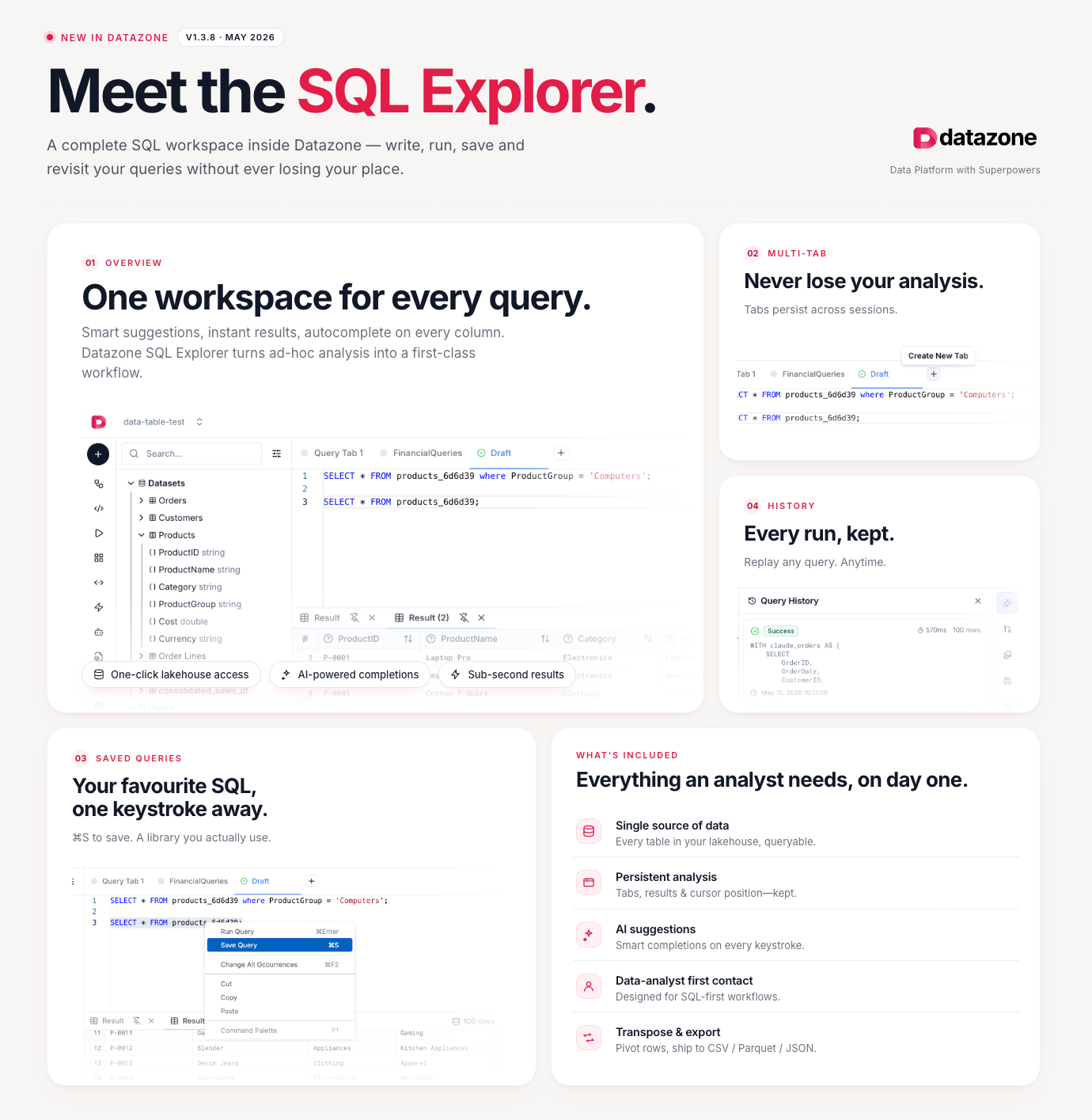
One workspace for every query
Smart suggestions, instant results, autocomplete on every column. SQL Explorer turns ad-hoc analysis into a first-class workflow.- One-click lakehouse access — every table in your lakehouse is instantly queryable
- AI-powered completions — smart suggestions on every column and keyword
- Sub-second results — results appear as fast as your warehouse allows
Multi-Tab
Never lose your analysis. Tabs persist across sessions — come back days later and pick up exactly where you left off.- Open multiple queries side by side
- Switch between Draft and named saved queries in the same tab bar
- Session state (cursor position, results, scroll) is fully preserved
Saved Queries
Your favourite SQL, one keystroke away. Press ⌘S (Mac) or Ctrl+S (Windows/Linux) to save any query. Build a personal library you actually use — no more hunting through history to find that query from last week.- Save and name queries for instant recall
- Accessible from the sidebar under Saved Queries
- Shared within your project so teammates can reuse them
History
Every run, kept. Replay any query, anytime. The Query History panel records every execution with its timestamp, duration, and result status. Click any entry to restore the exact SQL that produced those results.What’s included
Everything an analyst needs, on day one:Single source of data
Every table in your lakehouse, queryable. No exports, no connectors, no waiting.
Persistent analysis
Tabs, results, and cursor position are kept — exactly as you left them.
AI suggestions
Smart completions on every keystroke, powered by your lakehouse schema.
Data-analyst first contact
Designed for SQL-first workflows — no setup, no boilerplate.
Transpose & export
Pivot rows, then ship results to CSV, Parquet, or JSON in one click.
Next Steps
- Analysis Notebooks — go deeper with Python-powered analysis
- Toolkit — explore the full set of analysis utilities
- Integration & APIs — connect SQL Explorer output to external tools