

Overview
Quotas allow you to set limits on resource consumption in your Datazone workspace. They help prevent unexpected usage, control costs, and ensure fair resource allocation across teams and projects.How Quotas Work
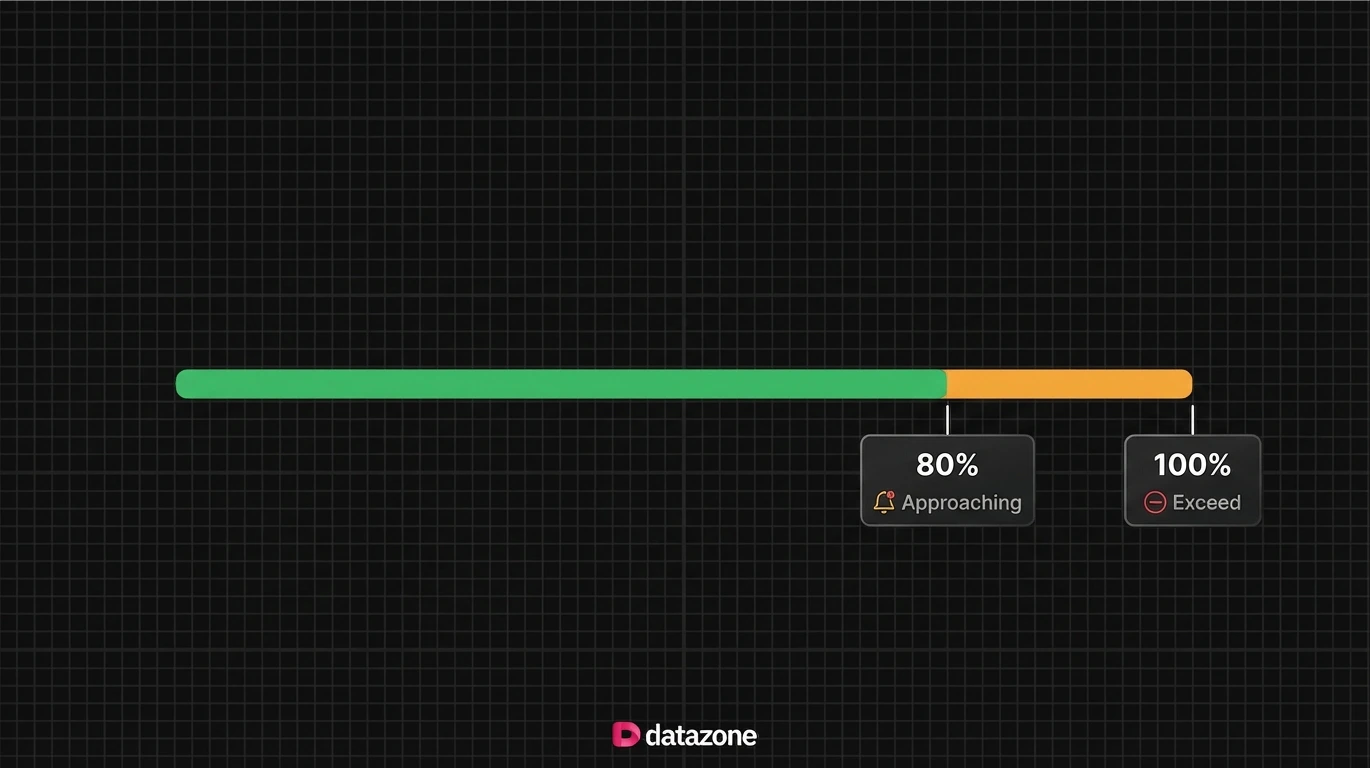
When you create a quota for a resource type (DCU, Tokens, Storage, Query, Action), Datazone monitors your usage and takes action based on consumption levels:Usage Thresholds
Setting Up Quotas
When you create a quota, you choose a resource type, a scope, and a limit. The scope determines how broadly the limit is enforced — across the whole organisation, within a single project, per user, or for a specific parent entity such as an intelligent app or agent.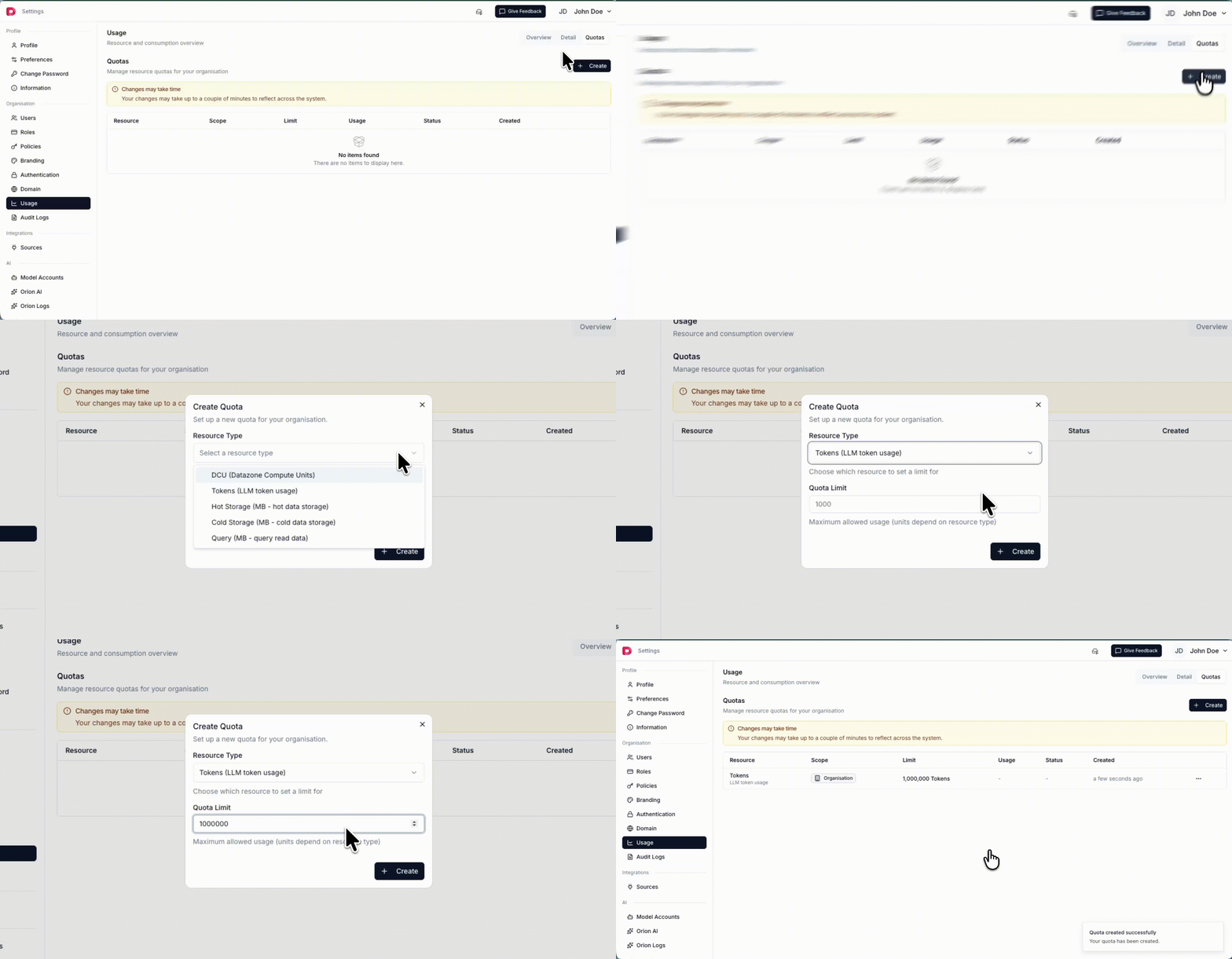
Scopes
A scope defines the boundary that a quota is measured and enforced against. Datazone supports the following scopes:- Organisation - Applies the quota to the whole organisation. Usage is aggregated across every project, user, and app.
- Project - Limits usage only within a single project. You select the target project when creating the quota.
- User - Each user gets their own usage limit for the resource.
- Parent Entity - Limits usage for a specific app or agent (for example, an intelligent app or a single agent).
Tokens are the most flexible resource — they can be scoped all the way down to an intelligent app or an individual agent, in addition to organisation, project, and user levels.
Example: Project-scoped token limit
To cap LLM token consumption for a single project, choose the Tokens resource type, select the Project scope, pick the target project, and set a quota limit: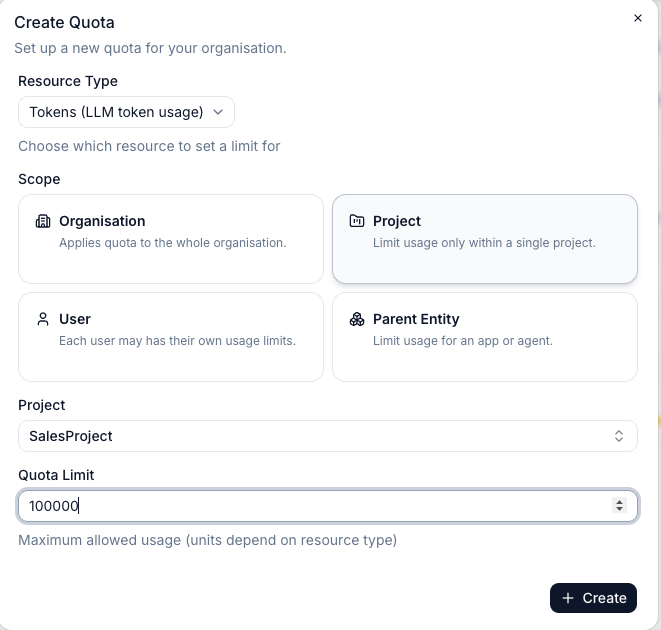
SalesProject project is limited to 100,000 tokens. Usage in other projects is unaffected by this quota.
Supported Resources
You can set quotas for any of the following resource types:- DCU - Datazone Compute Units (compute time)
- TOKENS - LLM token consumption
- HOT_STORAGE - Relational database storage (MB)
- COLD_STORAGE - Lakehouse/object storage (MB)
- QUERY - Total data scanned by queries (MB)
- ACTION - Number of action function executions