

Datazone Agents
Datazone Agents are custom AI assistants that can interact with your data through natural language conversations. Each agent is configured with specific data sources, tools, and models to help users explore, analyze, and extract insights from their data.
What is an Agent?
An agent is an AI-powered assistant that:- Understands natural language - Ask questions in any language
- Accesses your data - Queries datasets and views you’ve configured
- Uses tools - Executes SQL queries, runs Python code, creates charts, and more
- Provides insights - Analyzes data and delivers actionable answers
Creating an Agent
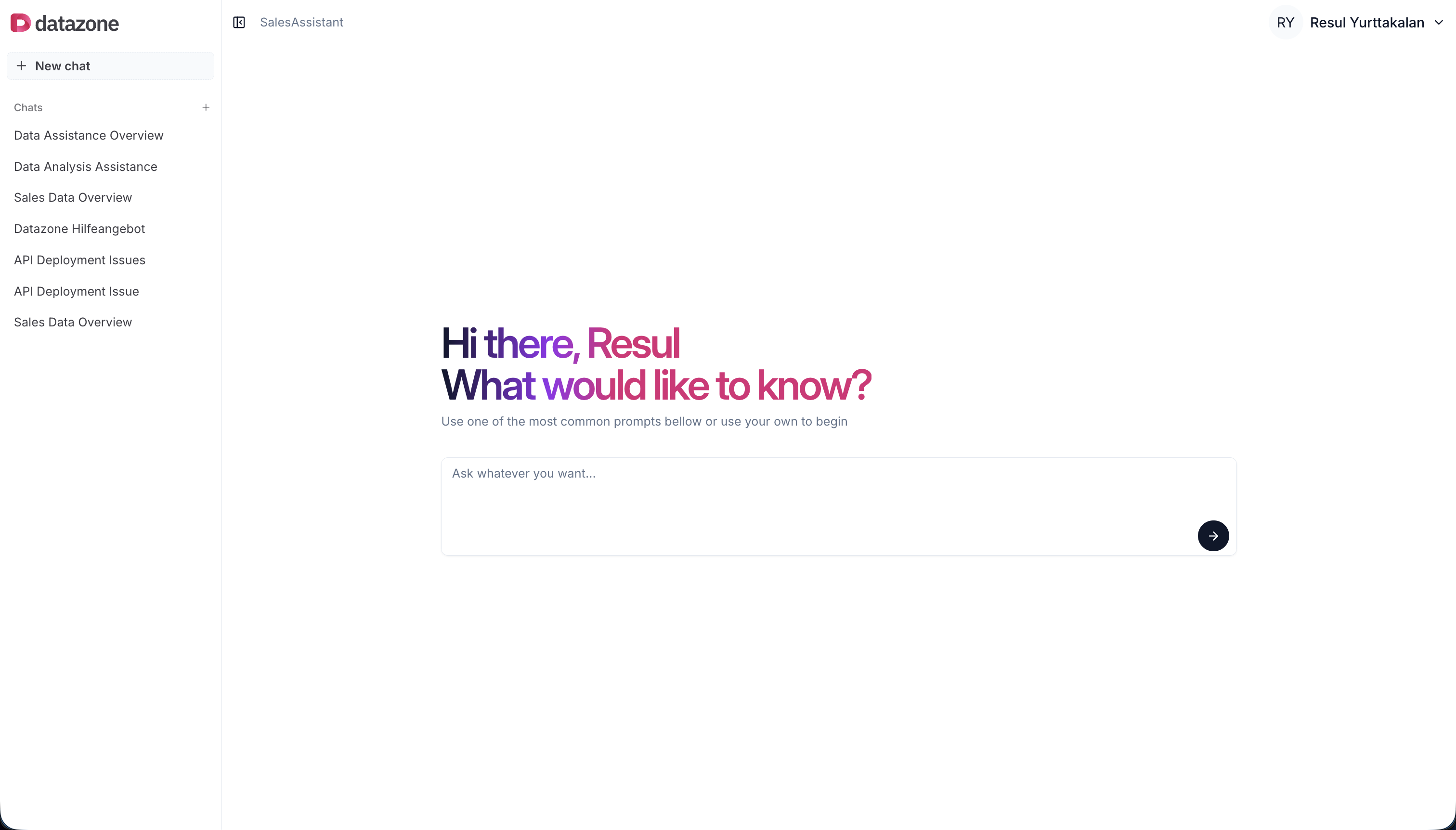
- Navigate to your Project page
- Click the Add button (+ icon)
- Select Agent from the dropdown
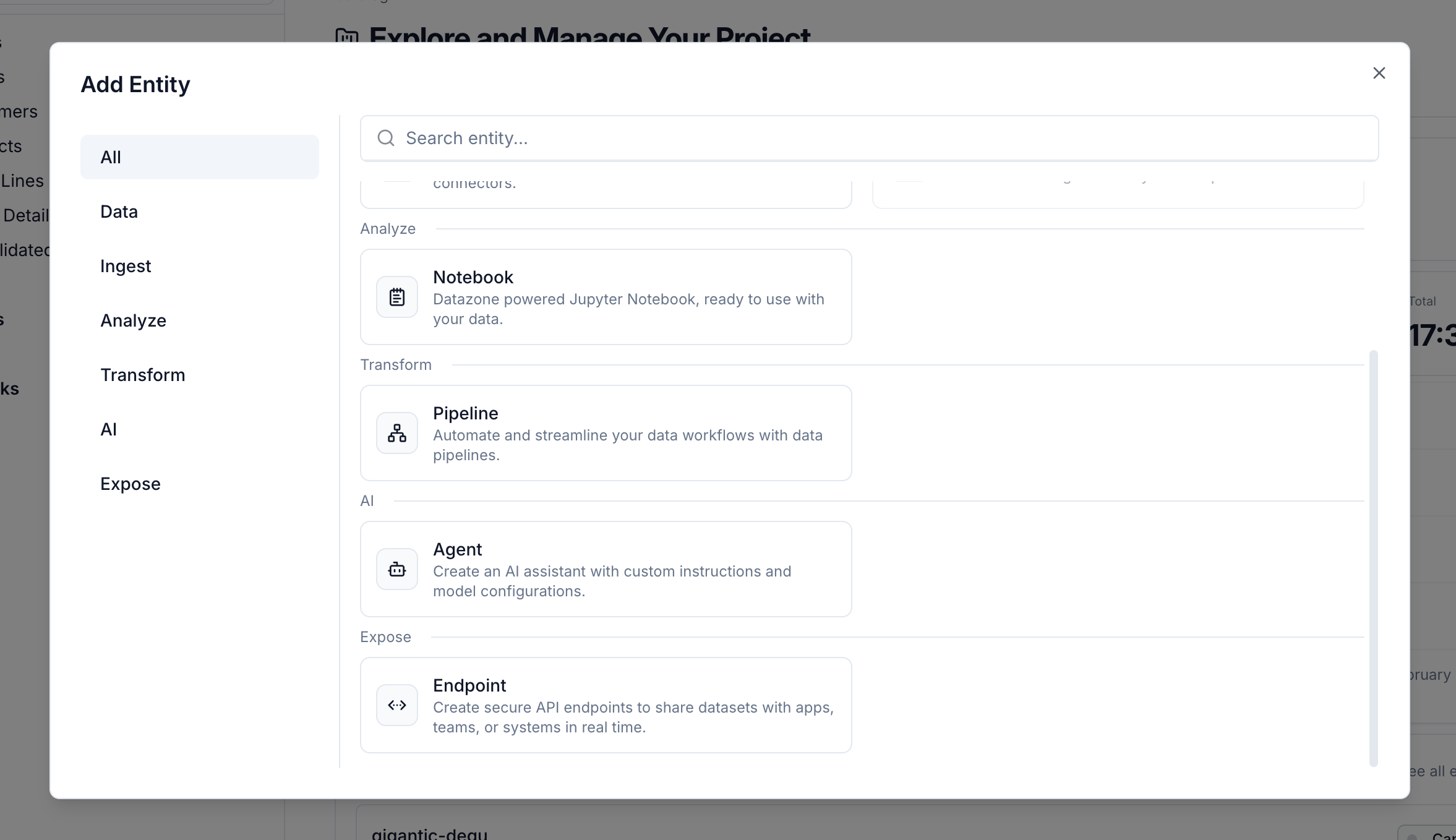
Step 1: Basic Information
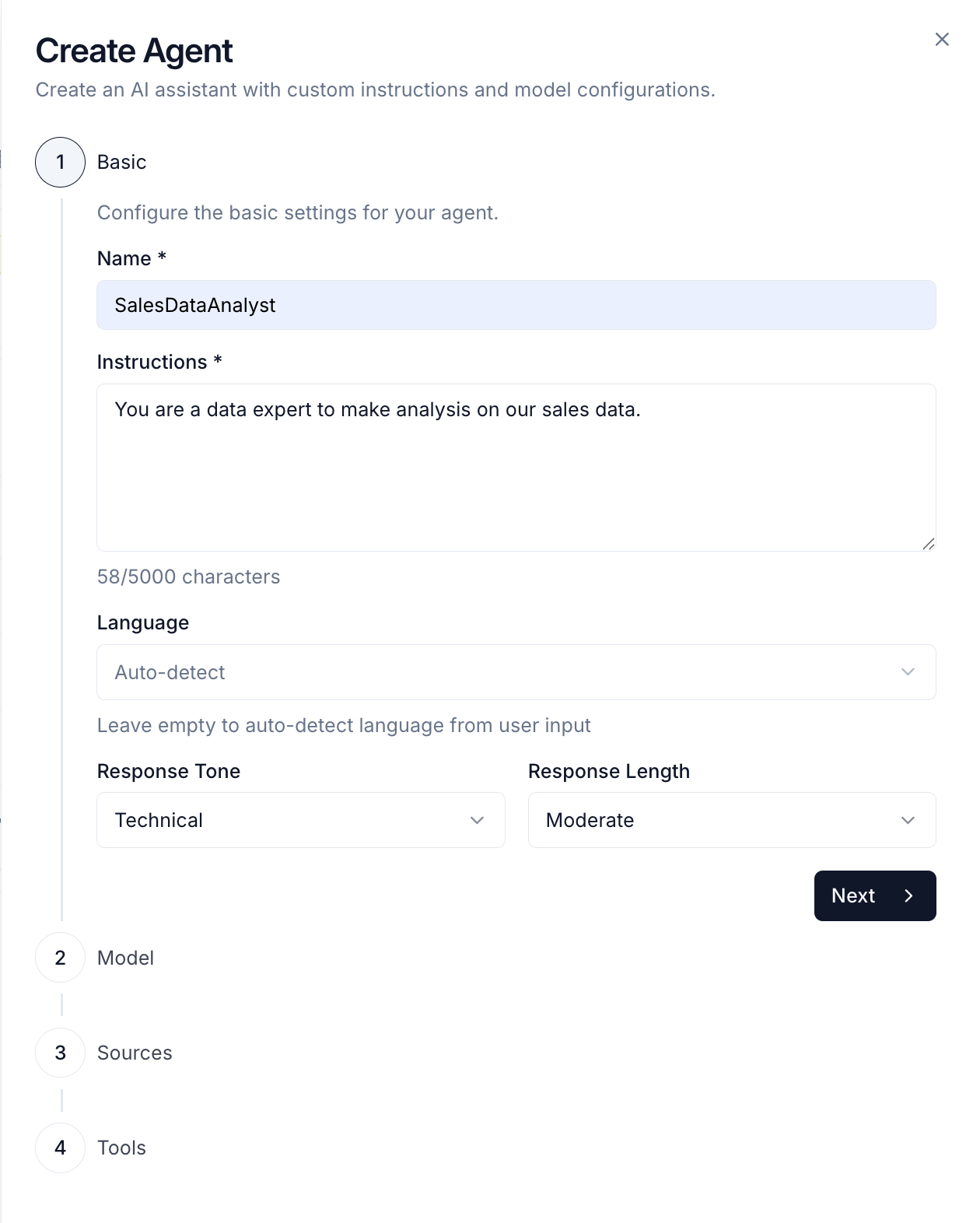
- Name - A descriptive name for your agent (e.g., “Sales Analyzer”, “Customer Support Assistant”)
- Instructions - System prompt that defines the agent’s behavior, personality, and expertise
- Response Tone - How the agent communicates:
- Casual - Informal, conversational style
- Friendly - Warm and approachable
- Technical - Precise and technical (default)
- Educational - Explanatory and teaching-focused
- Professional - Formal and business-like
- Response Length - How detailed responses should be:
- Brief - Short, concise answers
- Moderate - Balanced detail (default)
- Detailed - Comprehensive, in-depth responses
- Language - The language your agent will use (supports multiple languages)
Step 2: Model Configuration
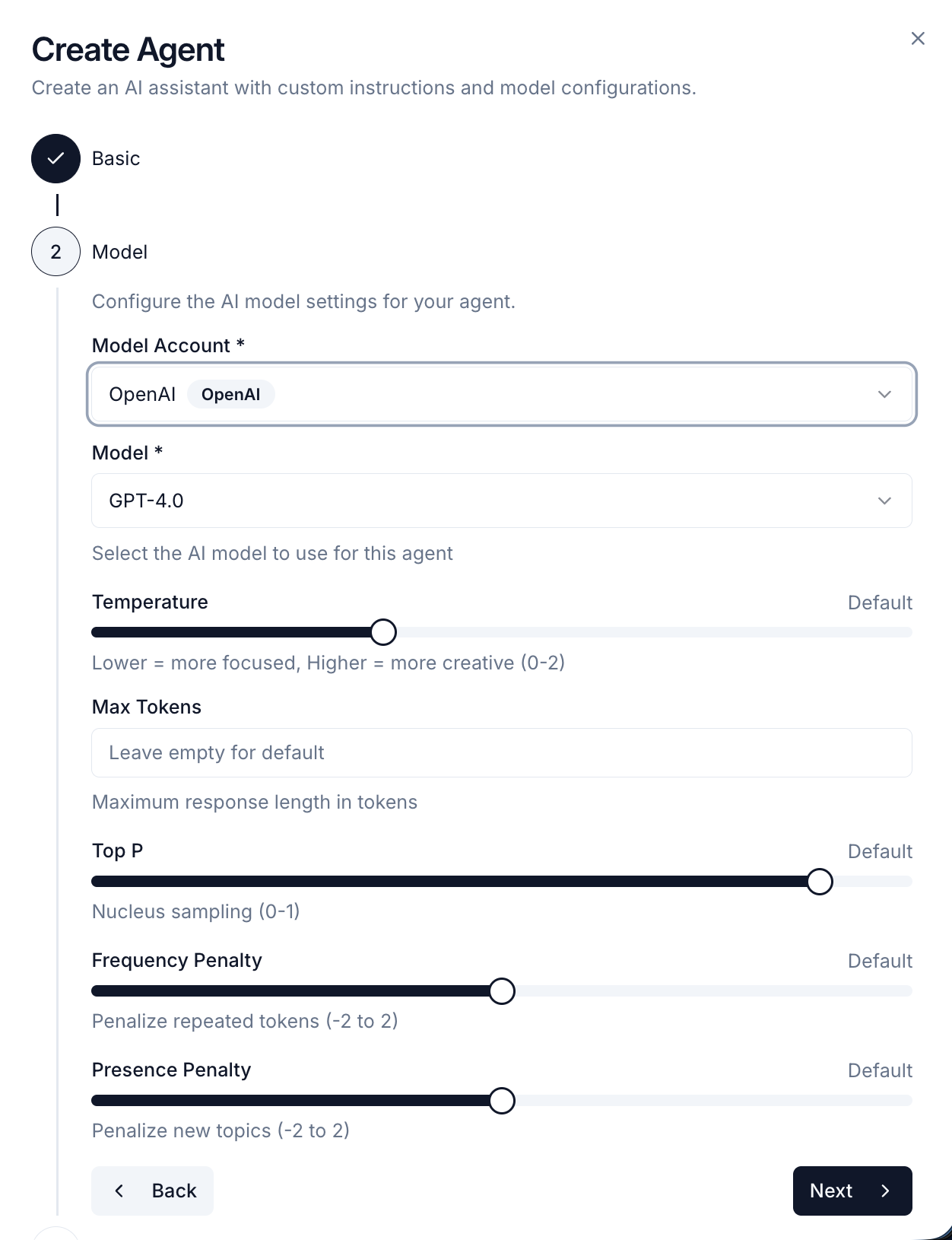
- Model Account - Choose from configured Model Accounts (OpenAI, Anthropic, AWS Bedrock)
- Model - Select the specific model (e.g., GPT-4, Claude 3.5 Sonnet, GPT-4o-mini)
- Temperature - Controls creativity and randomness (0 = focused and consistent, 1 = creative and varied)
- Max Tokens - Maximum response length (higher = longer responses, higher cost)
Step 3: Data Sources
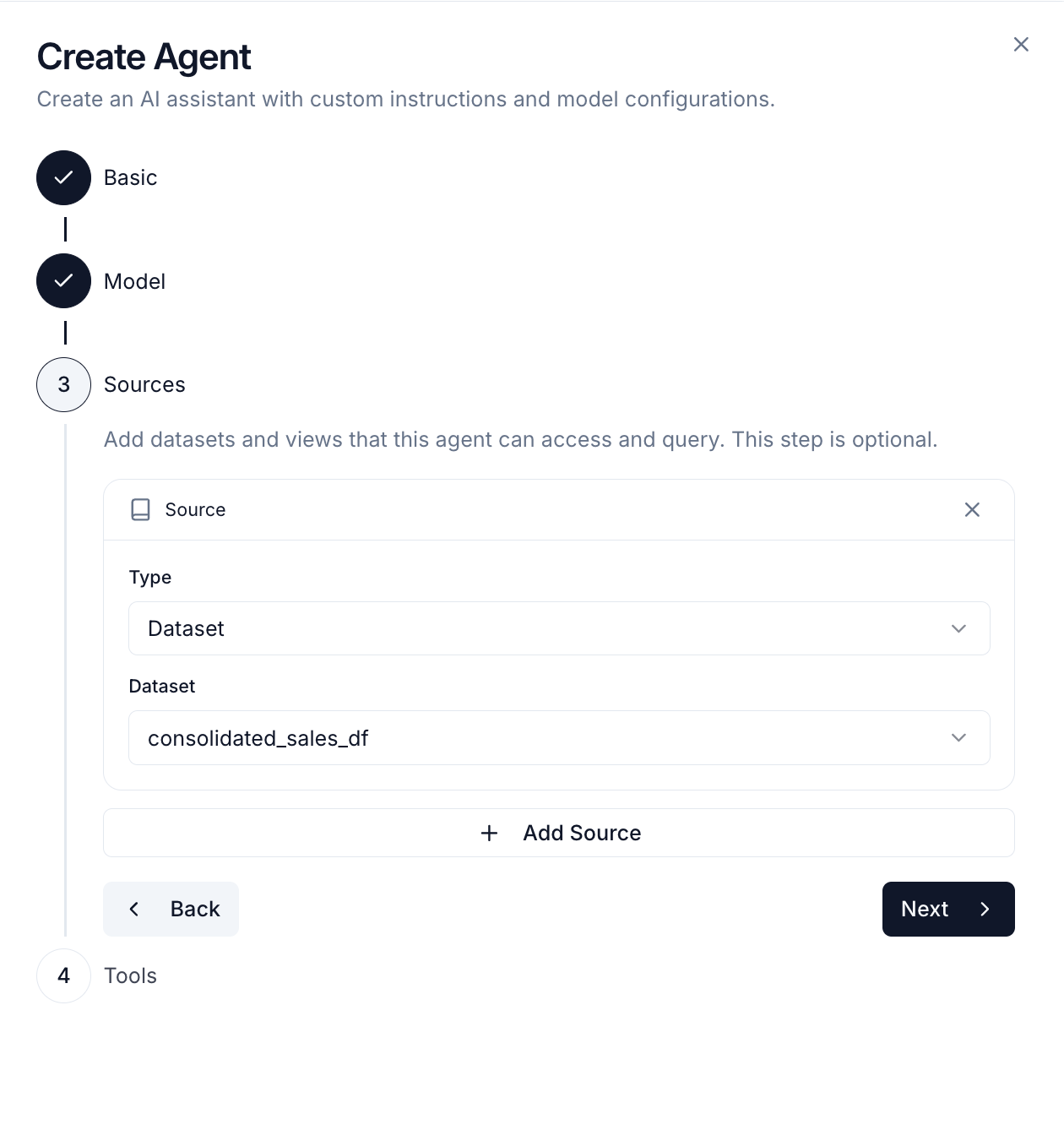
- Datasets - Direct access to raw datasets
- Views - Optimized, filtered data views
- Vectors - Semantic search on vectorized data for RAG (Retrieval Augmented Generation)
Step 4: Tools
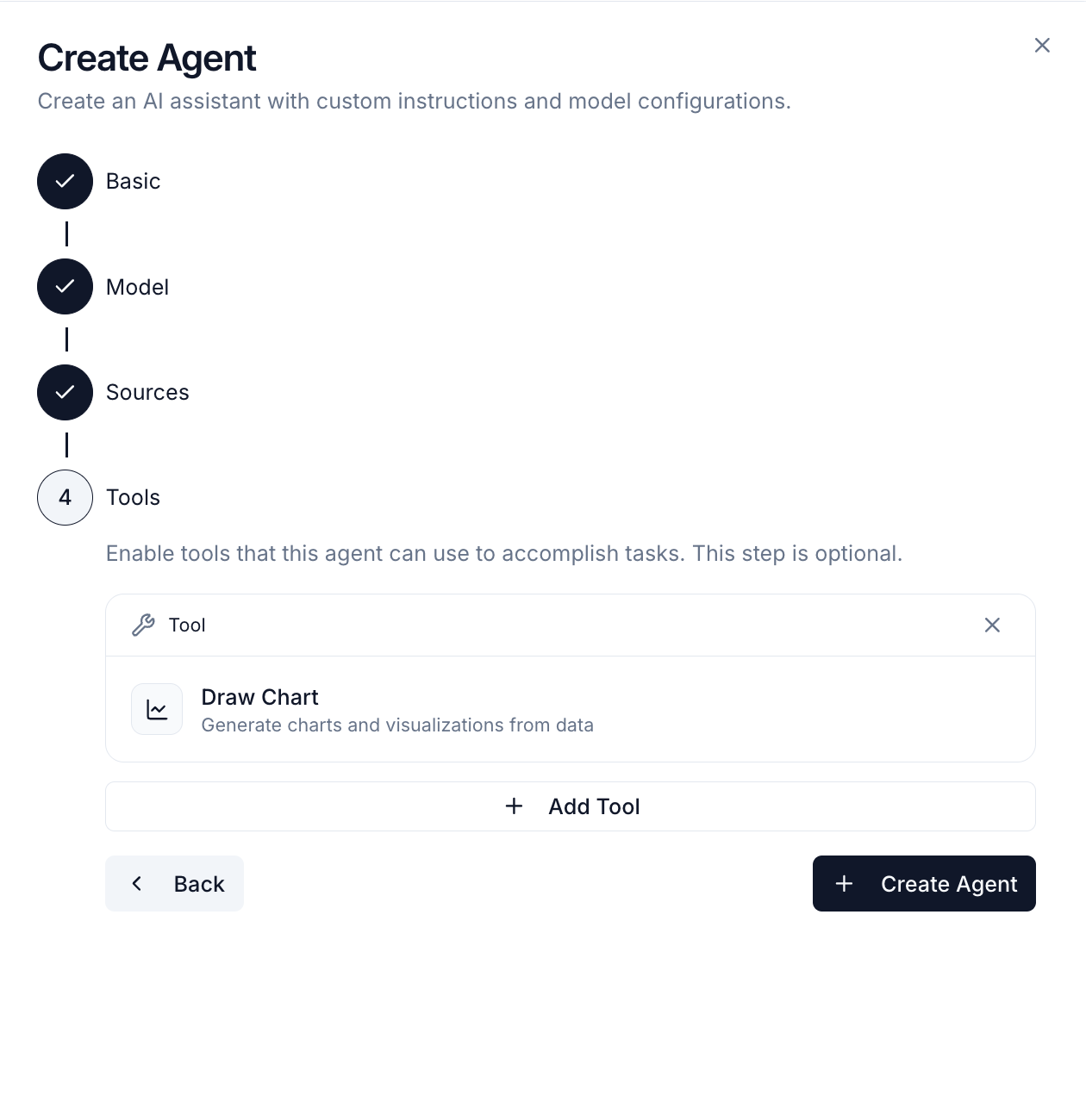
- Python Code Executor - Execute Python code for calculations and analysis
- Chart Generator - Create visualizations (line, bar, pie charts)
- Web Search - Search the internet for external information
- Actions - Call custom functions you’ve deployed (e.g., send emails, trigger workflows)
Query Executor is enabled by default and allows the agent to run SQL queries on your data. Select Actions to give your agent access to specific custom functions from your project. After completing all steps, click Create to save your agent. You can modify any of these settings later from the agent’s detail page.
Using Your Agent
Once created, you can start chatting with your agent: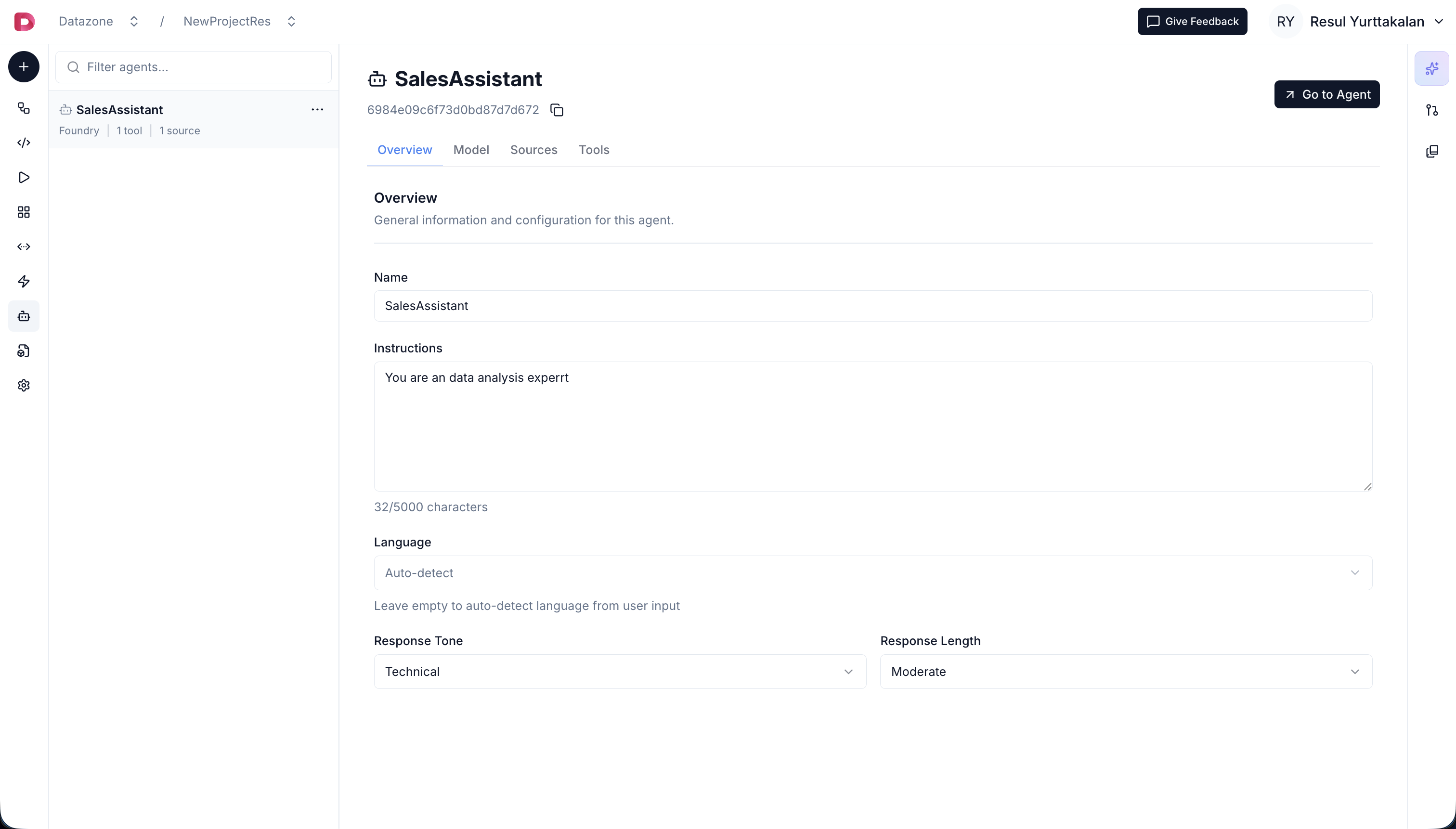
- Click on your agent from the agents list in the project page.
- Click to Go to Agent to open the chat interface.
- Then click to New Chat to start a fresh conversation
- Ask questions in natural language (in any language you configured)
- The agent will automatically use its tools to analyze data and provide answers
Agent Capabilities
Natural Language Queries
Ask questions in any language:- “What were our top 5 customers last month?”
- “Show me the revenue trend for Q4”
- “Which products have declining sales?”
- “Compare this quarter to last year”
Semantic Search with Vectors (RAG)
When you add Vectors as data sources, agents can perform semantic similarity search to retrieve relevant context from your vectorized data. This enables:- Context-aware responses - Agent finds relevant information based on meaning, not just keywords
- Document retrieval - Search through documents, knowledge bases, and unstructured data
- Enhanced accuracy - Provide agents with precise contextual information for better answers
Action Tools
Agents can call custom actions you’ve deployed:- Send notifications when certain conditions are met
- Trigger workflows based on data analysis
- Integrate with external services (Slack, email, APIs)
- Process or transform data using custom logic
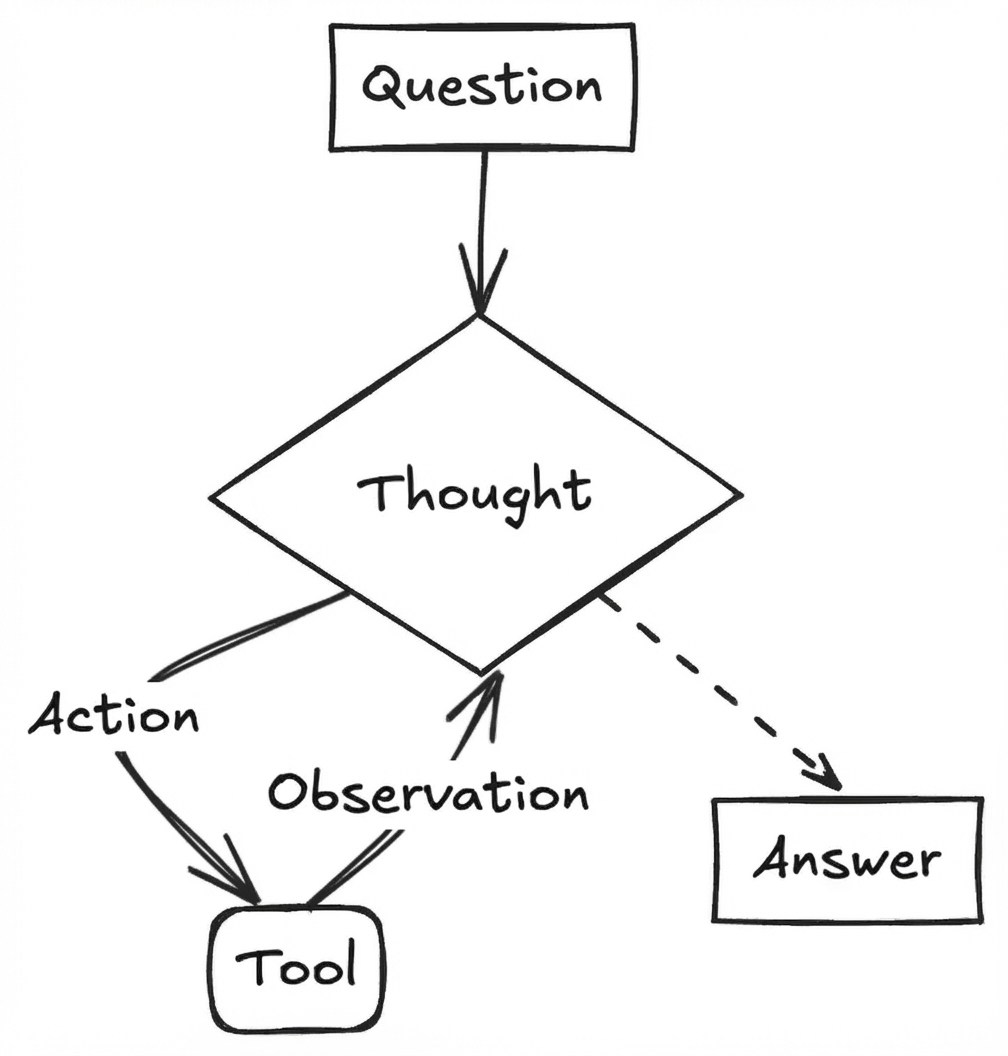
Multi-Step Analysis
Agents can perform complex analysis automatically:- Execute SQL queries to fetch data
- Run Python code for calculations
- Generate visualizations automatically
- Provide insights and recommendations
Context Awareness
Agents remember conversation history and can:- Reference previous questions
- Build on earlier analysis
- Maintain context throughout the chat session
Best Practices
- Clear Instructions - Write specific system instructions that define the agent’s expertise and behavior
- Right Data Sources - Only grant access to relevant datasets/views
- Appropriate Model - Choose models that balance cost and capability for your use case
- Use Views - Configure views for faster queries and better data access control
- Test Thoroughly - Ask various questions to ensure the agent understands your data correctly