

Best Practices
Follow these guidelines to build effective, efficient agents that deliver accurate insights while managing costs.Model Selection
Choosing the Right Model
Different models excel at different tasks:Use Case Guidelines
Complex Analysis → GPT-4 or Claude 3.5 Sonnet- Multi-step reasoning required
- Deep data analysis
- Code generation needs
- Balanced performance
- Most common questions
- Good for production agents
- Simple queries
- Cost-sensitive applications
- Fast response times needed
Model Parameters
Temperature
Temperature controls how creative or focused the agent’s responses are: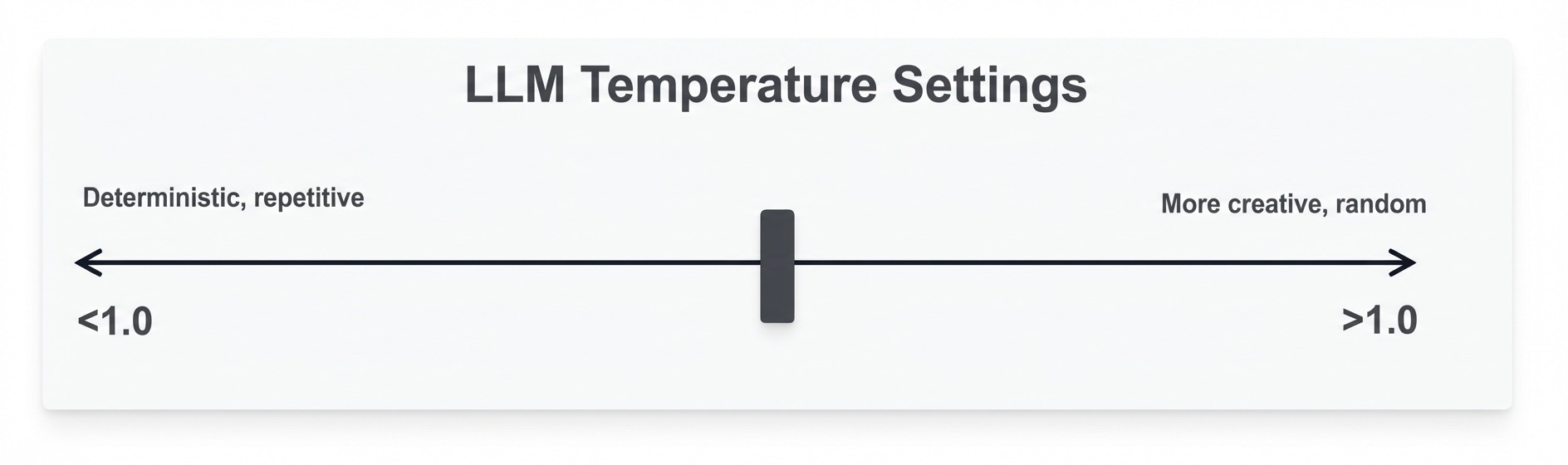
-
0.0 - 0.3 (Focused)
- Consistent, deterministic answers
- Best for: Data queries, factual analysis
- Use when accuracy is critical
-
0.4 - 0.7 (Balanced)
- Mix of consistency and creativity
- Best for: General purpose agents
- Recommended default
-
0.8 - 1.0 (Creative)
- Varied, exploratory responses
- Best for: Brainstorming, recommendations
- Use sparingly for data agents
For most data analysis agents, keep temperature between 0.2 and 0.5 for reliable results.
Max Tokens
Max Tokens controls the maximum response length:- 1,000 - 2,000 - Short, focused answers
- 2,000 - 4,000 - Standard responses (recommended)
- 4,000+ - Detailed analysis and long explanations
Data Source Optimization
Use Views Instead of Datasets
Why Views Are Better:- ✅ Faster query execution
- ✅ Pre-filtered, relevant data only
- ✅ Better security (control data access)
- ✅ Lower token usage
- ✅ More accurate agent responses
Limit Data Sources
Only grant access to necessary datasets/views: Too Broad:- Sales data
- HR data
- Marketing data
- Finance data
- Sales summary view
- Revenue trends view
Optimize View Definitions
Create views with:- Only necessary columns
- Pre-aggregated data where possible
- Relevant date ranges
- Indexed fields
Agent Instructions
Write Clear System Prompts
Good Instructions:Define Scope
Tell the agent:- What data it has access to
- What questions it should handle
- What format responses should take
- Any business rules to follow
Include Examples
Provide specific examples in instructions:Cost Optimization
Control Token Usage
Input Tokens:- Keep system instructions concise
- Limit conversation history length
- Use focused data sources
- Set appropriate max_tokens
- Request concise answers when possible
- Avoid asking for repeated information
Monitor Spending
- Review token usage per conversation
- Track costs by agent
- Set up alerts for high usage
- Regularly audit agent performance
Batch Similar Questions
If running automated analysis:- Group related queries
- Reuse context where possible
- Cache frequently accessed data
Agent Configuration
Tool Selection
Enable only what you need: Optional Tools:- Chart Generator - For data visualizations (recommended for most agents)
- Python Executor - For complex calculations and advanced analytics
- Web Search - For external context and current information
Query Executor is enabled by default and cannot be disabled.
Data Access Control
- Grant minimum necessary access
- Use views to restrict data
- Separate agents by use case
- Review permissions regularly
Regular Maintenance
- Update instructions based on user feedback
- Refine data sources as needs change
- Adjust model selection for cost/performance
- Archive unused agents
Query Performance
Faster Queries
- Use Views - Pre-filtered, optimized data
- Limit Result Sets - Ask for “top 10” not “all”
- Specific Time Ranges - “last month” not “all time”
- Indexed Columns - Ensure views use indexed fields
Example Optimizations
Slow: “Show all customer transactions” Fast: “Show top 20 customers by revenue this quarter”Testing & Validation
Test Common Questions
Before deploying:- Ask typical user questions
- Verify data accuracy
- Check tool usage patterns
- Measure response times
Validate Answers
- Compare agent responses to known results
- Verify calculations manually
- Check chart accuracy
- Test edge cases
Iterate
- Gather user feedback
- Refine instructions
- Adjust parameters
- Optimize data sources
Security
Data Access
- Only grant necessary permissions
- Use views to limit sensitive data
- Review agent access regularly
- Audit query logs
Credentials
- Secure model account API keys
- Rotate credentials periodically
- Monitor for unusual usage
- Implement access controls