

Knowledge Object API
Every Knowledge Object is backed by a REST API for managing its instances — the rows of its materialized table. This page covers the object endpoints (create, list, read) and the full instance CRUD API.- Base path:
/knowledge-object - Auth: standard logged-in session, same as every other app endpoint.
- Permissions: resource type
knowledge_objectunder the project hierarchy — read endpoints requireread, instance writes requirewrite.
Branching
Every endpoint takes an optionalbranch query parameter, defaulting to main. Objects are stored in your repository, so each branch has its own definition and its own ClickHouse table:
- The object id in the URL is stable across branches — only the
branchparam changes when you switch. - Object reads return
definition: nullwhen the object is not deployed on the requested branch. - Instance calls return
404when the object is not deployed on the requested branch. - Instance operations require the branch’s definition to be
READY— otherwise they return400. Gate instance UIs ondefinition.status === "READY".
See Overview → Branching for the full model.
Object endpoints
Create object
Creates an object by writing its YAML file to the repository and deploying it — the object and its definition are then materialized by the loader, exactly as if you had committed the file yourself.metadatais validated exactly like a deployed YAML file (primary key required, relationship rules,label_columnmust name a field, …) — an invalid definition returns400.- The server writes
objects/<name>_<hash>.yaml, registers it in the project’sconfig.yaml, and deploys onbranch. The definition starts atPENDING_MIGRATIONand is materialized asynchronously. - Response:
200with no body. Poll Get object or List objects for the definition and itsstatus. 400if an object with the same name already exists in the project.
Update object
- Send the full
metadata(same shape as create).branchis optional (defaults tomain). - Renaming is not supported —
metadata.namemust equal the current name (400otherwise). - Changing the primary key (columns or types) is rejected (
400) — the instance key derives from it. - A schema change re-runs migration (definition returns to
PENDING_MIGRATION→READY); metadata/settings-only changes apply in place. - Response:
200, no body. Poll Get object for the updated definition andstatus.
Delete object
branch defaults to main).
- The object is removed from its YAML file (the file and its
config.yamlentry are dropped when it was the only object in the file) and redeployed. The branch definition is deleted, and the object identity is deleted once no branch has a definition. - A background task then drops that branch’s ClickHouse table and view.
- Response:
204, no body.
List objects
filters, page, page_size, sort_by — plus branch (default main). Filters apply to the object identity (e.g. name, project.$id); the definition for the selected branch is attached to each item.
Get object
definition is null when the object is not deployed on that branch.
definition.metadata.fields to build instance forms and table columns, and definition.view_name to query the object in the SQL editor. The view exposes the object fields plus __version, __timestamp, and __primary_key (the instance key as hex).
Instance endpoints
All instance endpoints are nested under an object id:/knowledge-object/{id}/instances. {id} is the object’s id (not its name). Each accepts branch (default main) and operates on that branch’s table.
List instances
_key and _version.
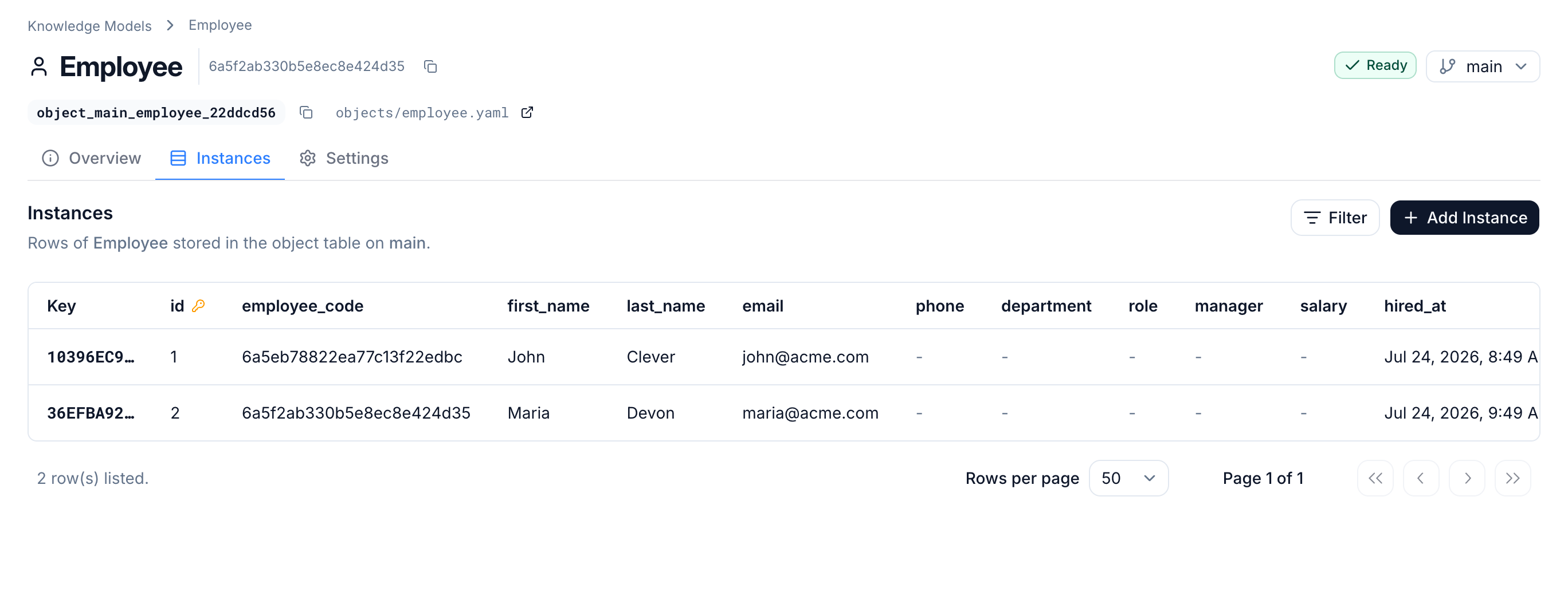
Column selection
Use the repeatedfields query parameter to fetch only the columns you need — for example a dropdown that shows the label column and stores the primary key:
- omitted → all object fields (default).
?fields=id&fields=name→ only those fields, plus_keyand_version.?fields=(present but empty) → only the meta fields_keyand_version.- An unknown field name →
400(detail.unknown_fields).
_key and _version are always included.
Row filtering
Use the repeatedfilters query parameter to filter rows. Each value is a JSON object { "column", "operator", "value" }, and multiple filters are combined with AND. Filtering affects both the returned rows and total_count.
columnmust be an object field name → an unknown column returns400(detail.unknown_filter_column).valueis not type-checked against the field; it is sent to the database as a safely-escaped literal.- A filter that isn’t valid JSON returns
400(detail.invalid_filter). - Combine freely with
fields,page, andpage_size.
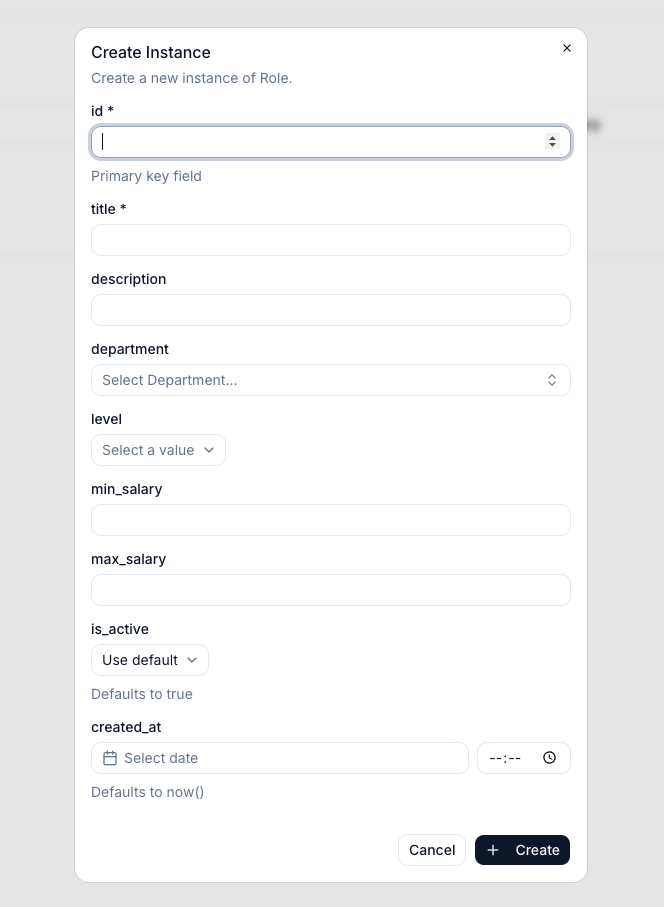
Create instance
- The payload is validated against the object’s field definitions (types, required, nullable).
- Optional fields, and fields with a
default, may be omitted — the database fills in defaults (including functional ones likenow()).
201 Created with the created instance (its _key is in the body).
409if an instance with the same primary key values already exists.- Creating with the primary key of a previously deleted instance succeeds — the instance is revived under the same
_key.
Batch upsert instances
Insert or update many instances in a single request — useful for bulk imports and syncing.- If an instance with the same primary key does not exist, it is inserted as a new instance (version
1). - If it already exists, a new version is appended with an incremented version number (the previous value is kept in history). A previously deleted instance is revived the same way.
- Optional fields and fields with a
defaultmay be omitted per item — the database fills them in.
- Maximum 1000 items per request — more returns
400(detail.max_batch_size,detail.received). - The whole batch is validated before any write. If any item is invalid, nothing is written and the response is
400with the offending item’s index (detail.index,detail.errors). - A primary key that appears more than once within the same batch is rejected with
400(detail.index,detail.error).
200 with a summary of what was applied.
_keys), read them back via List.
Get instance
404 if it does not exist or was deleted.
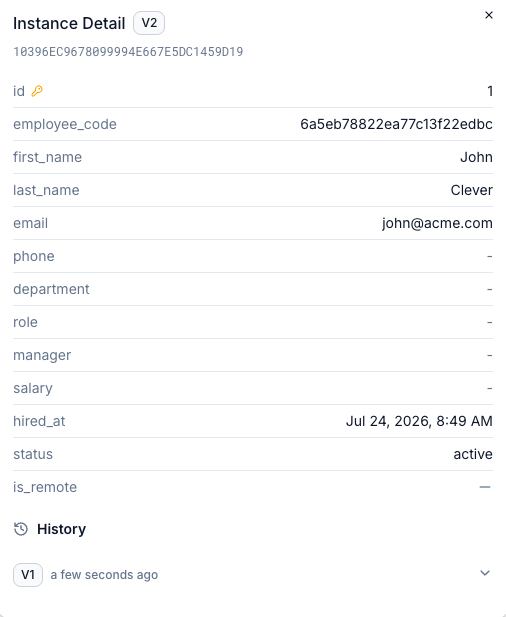
add_relationships=true to resolve the object’s relationship fields. Each relationship field keeps its raw _key value, and a parallel _relationships object is added, keyed by field name, holding the resolved related instance (or null when the key is empty, the target object is not deployed/ready on the branch, or the related instance was deleted). Resolution is one level deep. Default is false (no _relationships key, no extra queries).
Instance history
GET returns 404).
_version, _timestamp, _deleted, and _user_id (empty string when not written by a user). 404 if no instance ever existed for the key.
For objects with
store_versions: false, superseded versions may be compacted away over time — history is best-effort in that mode.Update instance
- Send only the fields to change (partial update).
- Primary key fields in the payload →
400(they are immutable; a different primary key is a different instance). - Immutable fields (
mutable: false) cannot be changed after creation. - Returns the full updated instance.
Delete instance
204 No Content. A subsequent GET on the key returns 404. Deletion is logical — history is kept internally and the key can be revived by creating an instance with the same primary key.
Errors
Not available yet
- Executing object actions via the API (
POST /{id}/instances/{key}/actions/{action}). - Backed objects (
object_type: BACKED).