> ## Documentation Index
> Fetch the complete documentation index at: https://docs.datazone.co/llms.txt
> Use this file to discover all available pages before exploring further.
# SQL Explorer
> A complete SQL workspace inside Datazone — write, run, save and revisit your queries without ever losing your place
# SQL Explorer
**New in v1.3.8 · May 2026** — SQL Explorer is now available in all Datazone workspaces.
SQL Explorer is a complete SQL workspace built directly into Datazone. Write, run, save, and revisit your queries without ever losing your place.
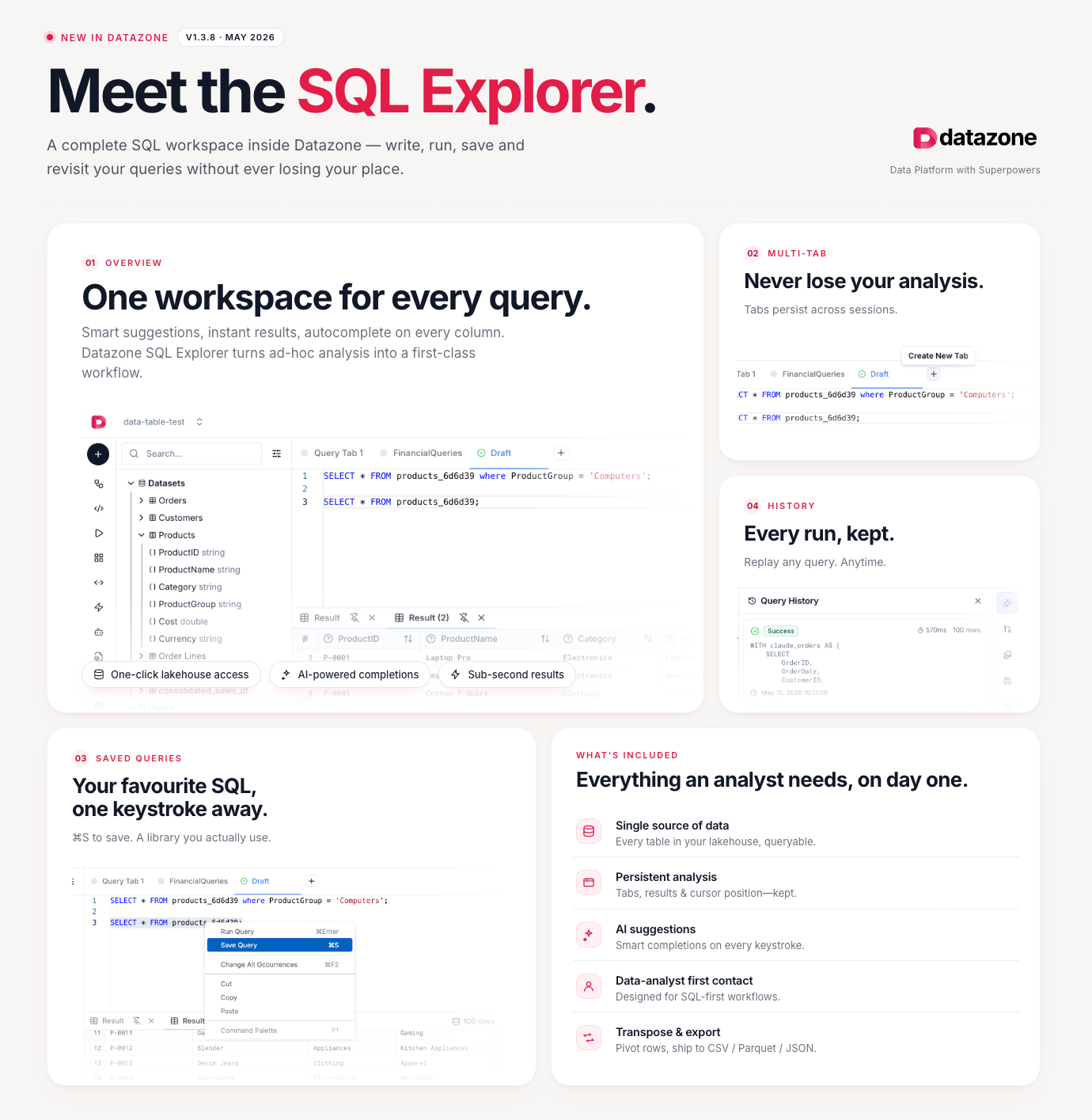 ## One workspace for every query
Smart suggestions, instant results, autocomplete on every column. SQL Explorer turns ad-hoc analysis into a first-class workflow.
* **One-click lakehouse access** — every table in your lakehouse is instantly queryable
* **AI-powered completions** — smart suggestions on every column and keyword
* **Sub-second results** — results appear as fast as your warehouse allows
## Multi-Tab
Never lose your analysis. Tabs persist across sessions — come back days later and pick up exactly where you left off.
* Open multiple queries side by side
* Switch between **Draft** and named saved queries in the same tab bar
* Session state (cursor position, results, scroll) is fully preserved
## Saved Queries
Your favourite SQL, one keystroke away.
Press **⌘S** (Mac) or **Ctrl+S** (Windows/Linux) to save any query. Build a personal library you actually use — no more hunting through history to find that query from last week.
* Save and name queries for instant recall
* Accessible from the sidebar under **Saved Queries**
* Shared within your project so teammates can reuse them
## History
Every run, kept. Replay any query, anytime.
The **Query History** panel records every execution with its timestamp, duration, and result status. Click any entry to restore the exact SQL that produced those results.
## What's included
Everything an analyst needs, on day one:
Every table in your lakehouse, queryable. No exports, no connectors, no waiting.
Tabs, results, and cursor position are kept — exactly as you left them.
Smart completions on every keystroke, powered by your lakehouse schema.
Designed for SQL-first workflows — no setup, no boilerplate.
Pivot rows, then ship results to CSV, Parquet, or JSON in one click.
## Next Steps
* [Analysis Notebooks](/reference/analysis/notebook) — go deeper with Python-powered analysis
* [Toolkit](/reference/analysis/toolkit) — explore the full set of analysis utilities
* [Integration & APIs](/reference/integration/overview) — connect SQL Explorer output to external tools
## One workspace for every query
Smart suggestions, instant results, autocomplete on every column. SQL Explorer turns ad-hoc analysis into a first-class workflow.
* **One-click lakehouse access** — every table in your lakehouse is instantly queryable
* **AI-powered completions** — smart suggestions on every column and keyword
* **Sub-second results** — results appear as fast as your warehouse allows
## Multi-Tab
Never lose your analysis. Tabs persist across sessions — come back days later and pick up exactly where you left off.
* Open multiple queries side by side
* Switch between **Draft** and named saved queries in the same tab bar
* Session state (cursor position, results, scroll) is fully preserved
## Saved Queries
Your favourite SQL, one keystroke away.
Press **⌘S** (Mac) or **Ctrl+S** (Windows/Linux) to save any query. Build a personal library you actually use — no more hunting through history to find that query from last week.
* Save and name queries for instant recall
* Accessible from the sidebar under **Saved Queries**
* Shared within your project so teammates can reuse them
## History
Every run, kept. Replay any query, anytime.
The **Query History** panel records every execution with its timestamp, duration, and result status. Click any entry to restore the exact SQL that produced those results.
## What's included
Everything an analyst needs, on day one:
Every table in your lakehouse, queryable. No exports, no connectors, no waiting.
Tabs, results, and cursor position are kept — exactly as you left them.
Smart completions on every keystroke, powered by your lakehouse schema.
Designed for SQL-first workflows — no setup, no boilerplate.
Pivot rows, then ship results to CSV, Parquet, or JSON in one click.
## Next Steps
* [Analysis Notebooks](/reference/analysis/notebook) — go deeper with Python-powered analysis
* [Toolkit](/reference/analysis/toolkit) — explore the full set of analysis utilities
* [Integration & APIs](/reference/integration/overview) — connect SQL Explorer output to external tools