> ## Documentation Index
> Fetch the complete documentation index at: https://docs.datazone.co/llms.txt
> Use this file to discover all available pages before exploring further.
# Resources Overview
> Understanding Datazone resource types and their usage
## Overview
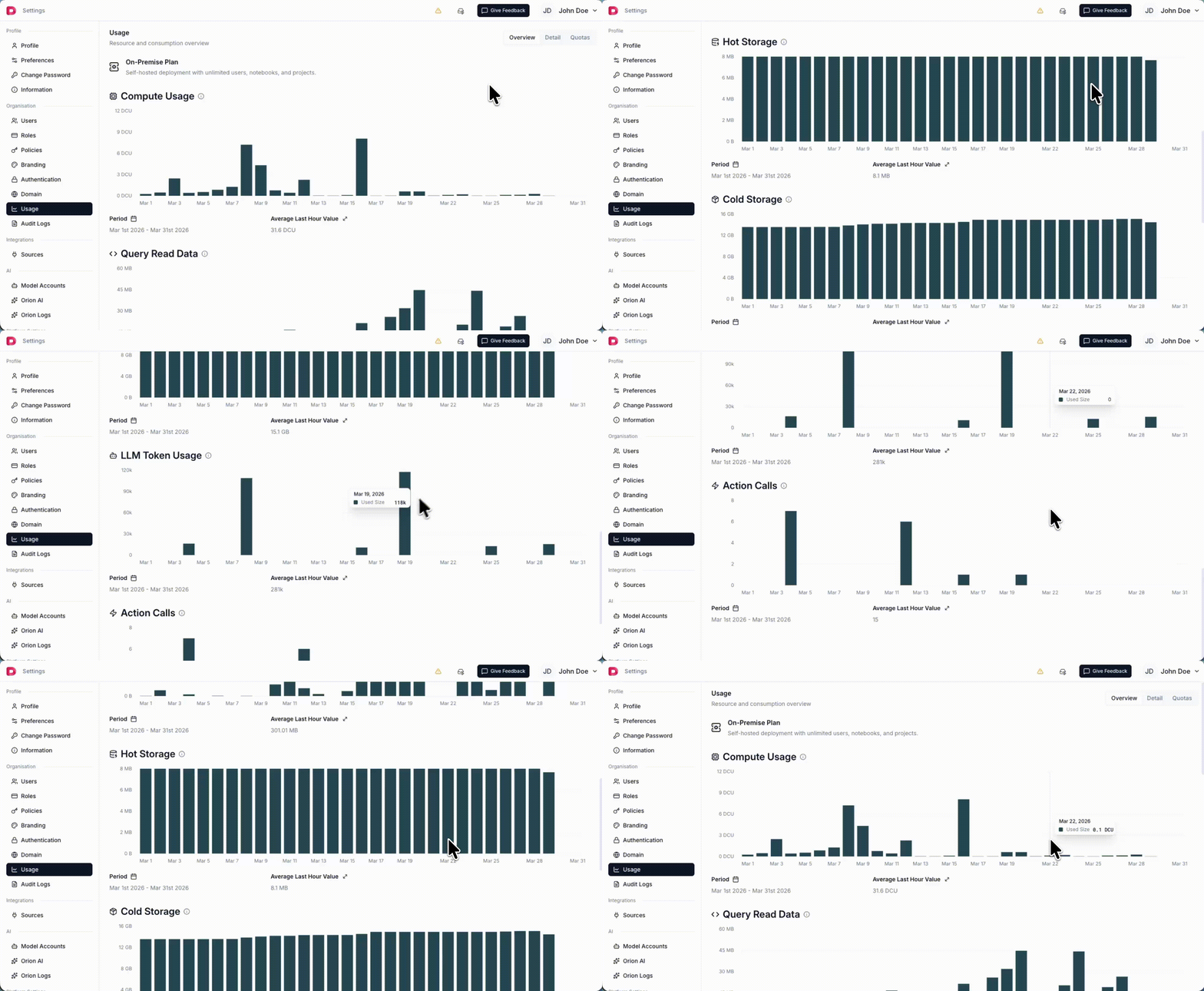
Datazone tracks several resource types to help you monitor and manage your platform usage. Understanding these resources is essential for capacity planning, cost management, and setting appropriate [Quotas](/reference/platform/resources/quotas).
 ## Resource Summary
| Resource | Description | Features Using It |
| ---------------- | -------------------------------------------------------------------------- | ----------------------------------------------------------------- |
| **DCU** | Datazone Compute Units - measures compute time (1 DCU = 1 vCPU for 1 hour) | Executions, Notebook kernels |
| **Tokens** | Total LLM tokens consumed for AI operations | Orion AI Code Assistant, Intelligent App Chat, Agents, Embeddings |
| **Hot Storage** | Fast relational database storage in megabytes | Materialized tables, Transformed datasets, Query results |
| **Cold Storage** | Long-term object storage in megabytes | Raw ingested data, Historical datasets, Archives |
| **Query** | Total data read by queries in bytes | All analytical queries and data scans |
| **Actions** | Number of action function executions | [Action](/reference/development/actions) endpoints, Agent tools |
## Resource Types
### DCU (Datazone Compute Units)
DCU measures compute resources consumed by your workloads.
**Definition:** 1 DCU = 1 vCPU for 1 hour
**Example:**
* An XSMALL instance (2 vCPU, 8GB RAM) running for 1 hour = **2 DCU**
* A SMALL instance (4 vCPU, 16GB RAM) running for 30 minutes = **2 DCU**
* A MEDIUM instance (8 vCPU, 32GB RAM) running for 15 minutes = **2 DCU**
**What uses DCU:**
* Executions
* Notebook kernels
### Tokens
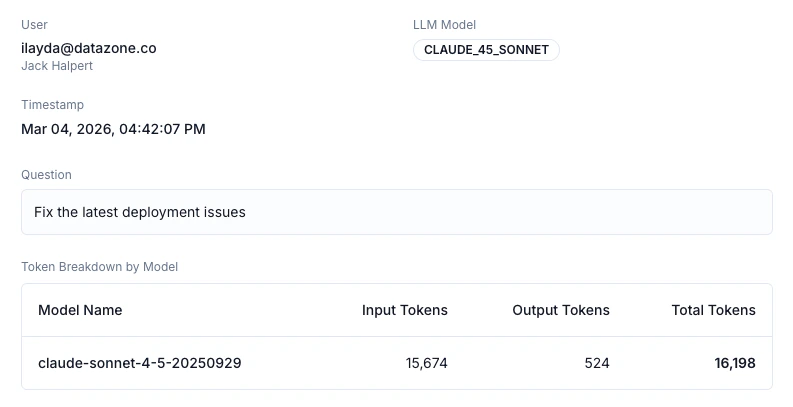
Tokens measure the usage of Large Language Models (LLMs) in your Datazone workspace.
**Definition:** Total number of input and output tokens consumed by LLM operations
**What uses tokens:**
* Orion AI Code Assistant
* Intelligent App Chat
* Agent
* Embeddings
**Note:** Token consumption varies based on the complexity of prompts and length of responses. Longer conversations and detailed outputs consume more tokens.
## Resource Summary
| Resource | Description | Features Using It |
| ---------------- | -------------------------------------------------------------------------- | ----------------------------------------------------------------- |
| **DCU** | Datazone Compute Units - measures compute time (1 DCU = 1 vCPU for 1 hour) | Executions, Notebook kernels |
| **Tokens** | Total LLM tokens consumed for AI operations | Orion AI Code Assistant, Intelligent App Chat, Agents, Embeddings |
| **Hot Storage** | Fast relational database storage in megabytes | Materialized tables, Transformed datasets, Query results |
| **Cold Storage** | Long-term object storage in megabytes | Raw ingested data, Historical datasets, Archives |
| **Query** | Total data read by queries in bytes | All analytical queries and data scans |
| **Actions** | Number of action function executions | [Action](/reference/development/actions) endpoints, Agent tools |
## Resource Types
### DCU (Datazone Compute Units)
DCU measures compute resources consumed by your workloads.
**Definition:** 1 DCU = 1 vCPU for 1 hour
**Example:**
* An XSMALL instance (2 vCPU, 8GB RAM) running for 1 hour = **2 DCU**
* A SMALL instance (4 vCPU, 16GB RAM) running for 30 minutes = **2 DCU**
* A MEDIUM instance (8 vCPU, 32GB RAM) running for 15 minutes = **2 DCU**
**What uses DCU:**
* Executions
* Notebook kernels
### Tokens
Tokens measure the usage of Large Language Models (LLMs) in your Datazone workspace.
**Definition:** Total number of input and output tokens consumed by LLM operations
**What uses tokens:**
* Orion AI Code Assistant
* Intelligent App Chat
* Agent
* Embeddings
**Note:** Token consumption varies based on the complexity of prompts and length of responses. Longer conversations and detailed outputs consume more tokens.
 ### Hot Storage
Hot storage refers to data stored in the relational database (ClickHouse) for fast querying and analysis.
**Definition:** Storage measured in megabytes (MB)
**What uses hot storage:**
* Materialized tables from pipelines
* Transformed datasets
* Cached query results
* Metadata and system tables
**Characteristics:**
* High-performance SSD storage
* Optimized for fast analytical queries
* More expensive than cold storage
* Best for frequently accessed data
### Cold Storage
Cold storage refers to data stored in the lakehouse (object storage) for long-term retention and archival.
**Definition:** Storage measured in megabytes (MB)
**What uses cold storage:**
* Raw ingested data
* Historical datasets
* Archived pipeline outputs
* Backup and disaster recovery data
**Characteristics:**
* Cost-effective object storage
* Suitable for infrequent access
* Longer retrieval times compared to hot storage
* Ideal for compliance and long-term retention
### Query
Query measures the amount of data processed when executing analytical queries.
**Definition:** Total bytes of data read by queries
**What affects query usage:**
* Number of rows scanned
* Number of columns selected
* Use of filters and aggregations
* Query optimization
**Optimization Tips:**
* Use column pruning (select only needed columns)
* Apply filters early to reduce data scanned
* Leverage partitioning when available
* Use materialized views for frequently accessed aggregations
### Actions
Actions measure the number of serverless function executions in your workspace.
**Definition:** Total number of action function calls
**What uses actions:**
* [Action](/reference/development/actions) endpoints triggered via API
* Agent tools calling actions
* Manual action triggers
**How it's counted:**
Each time an action function is executed, it counts as 1 action usage, regardless of execution duration or complexity.
## Resource Planning
**For Development Environments:**
* Start with smaller compute instances (XSMALL/SMALL)
* Monitor DCU consumption during testing
* Use hot storage sparingly for prototypes
**For Production Environments:**
* Size compute resources based on workload patterns
* Balance hot vs. cold storage based on access frequency
* Set quotas to prevent unexpected resource consumption
* Review query patterns to optimize data scanning
## Cost Considerations
Resource usage directly impacts your Datazone costs:
* **DCU** scales with compute power and duration
* **Hot Storage** is more expensive per MB than cold storage
* **Query** costs increase with data scanned (optimize your queries)
* **Tokens** vary based on LLM usage frequency and complexity
* **Actions** are counted per execution (each function call)
Understanding your resource patterns helps optimize both performance and cost.
### Hot Storage
Hot storage refers to data stored in the relational database (ClickHouse) for fast querying and analysis.
**Definition:** Storage measured in megabytes (MB)
**What uses hot storage:**
* Materialized tables from pipelines
* Transformed datasets
* Cached query results
* Metadata and system tables
**Characteristics:**
* High-performance SSD storage
* Optimized for fast analytical queries
* More expensive than cold storage
* Best for frequently accessed data
### Cold Storage
Cold storage refers to data stored in the lakehouse (object storage) for long-term retention and archival.
**Definition:** Storage measured in megabytes (MB)
**What uses cold storage:**
* Raw ingested data
* Historical datasets
* Archived pipeline outputs
* Backup and disaster recovery data
**Characteristics:**
* Cost-effective object storage
* Suitable for infrequent access
* Longer retrieval times compared to hot storage
* Ideal for compliance and long-term retention
### Query
Query measures the amount of data processed when executing analytical queries.
**Definition:** Total bytes of data read by queries
**What affects query usage:**
* Number of rows scanned
* Number of columns selected
* Use of filters and aggregations
* Query optimization
**Optimization Tips:**
* Use column pruning (select only needed columns)
* Apply filters early to reduce data scanned
* Leverage partitioning when available
* Use materialized views for frequently accessed aggregations
### Actions
Actions measure the number of serverless function executions in your workspace.
**Definition:** Total number of action function calls
**What uses actions:**
* [Action](/reference/development/actions) endpoints triggered via API
* Agent tools calling actions
* Manual action triggers
**How it's counted:**
Each time an action function is executed, it counts as 1 action usage, regardless of execution duration or complexity.
## Resource Planning
**For Development Environments:**
* Start with smaller compute instances (XSMALL/SMALL)
* Monitor DCU consumption during testing
* Use hot storage sparingly for prototypes
**For Production Environments:**
* Size compute resources based on workload patterns
* Balance hot vs. cold storage based on access frequency
* Set quotas to prevent unexpected resource consumption
* Review query patterns to optimize data scanning
## Cost Considerations
Resource usage directly impacts your Datazone costs:
* **DCU** scales with compute power and duration
* **Hot Storage** is more expensive per MB than cold storage
* **Query** costs increase with data scanned (optimize your queries)
* **Tokens** vary based on LLM usage frequency and complexity
* **Actions** are counted per execution (each function call)
Understanding your resource patterns helps optimize both performance and cost.