> ## Documentation Index
> Fetch the complete documentation index at: https://docs.datazone.co/llms.txt
> Use this file to discover all available pages before exploring further.
# Variables
> Variables are used to store and manage data in the Datazone platform. You can define variables in the Datazone dashboard and use them in your pipelines.
## Overview
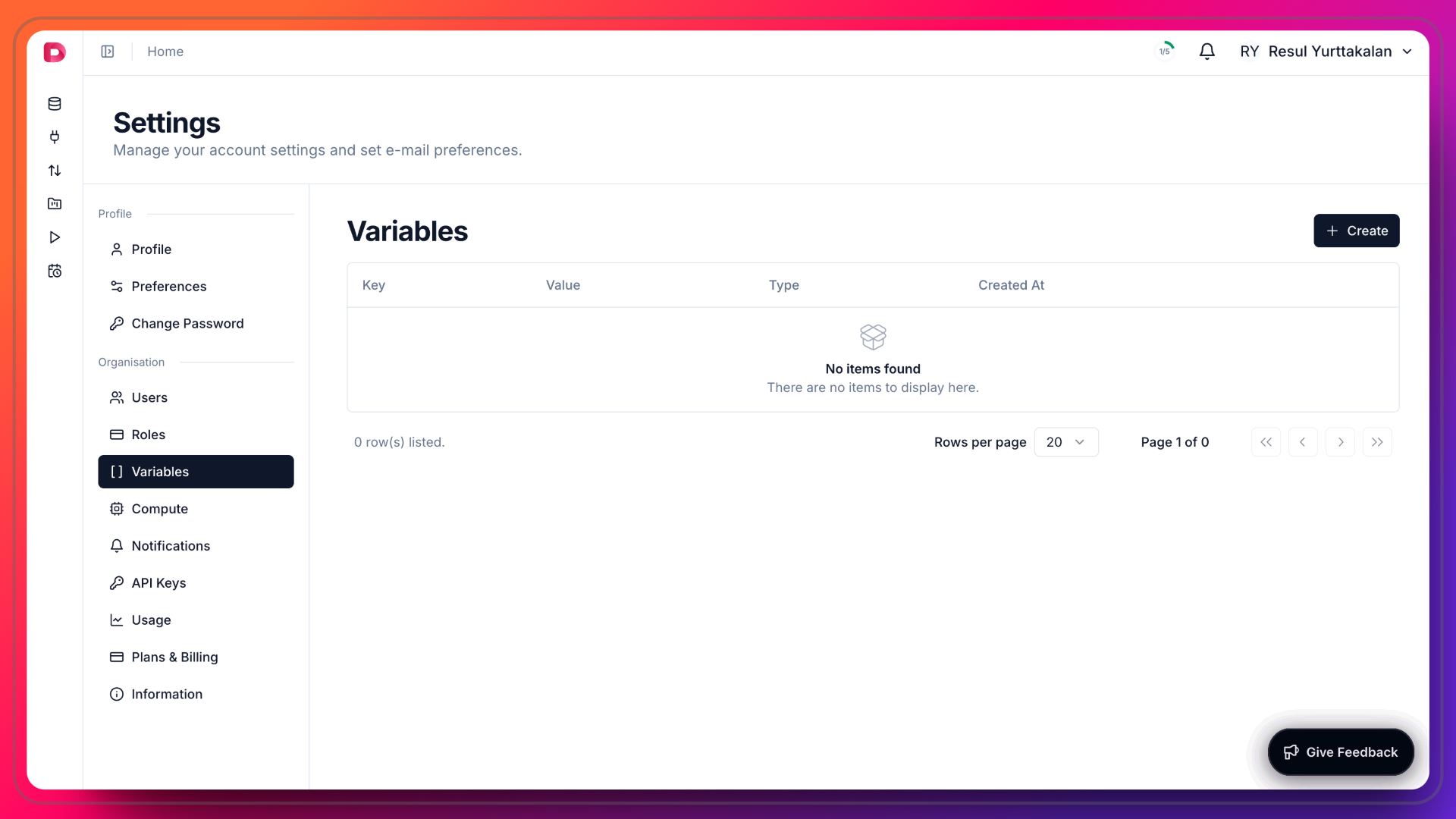 1. Click **Settings** in the top right corner session context menu.
2. Click **Variables** in the left sidebar.
3. Click **Create** to create a new Variable.
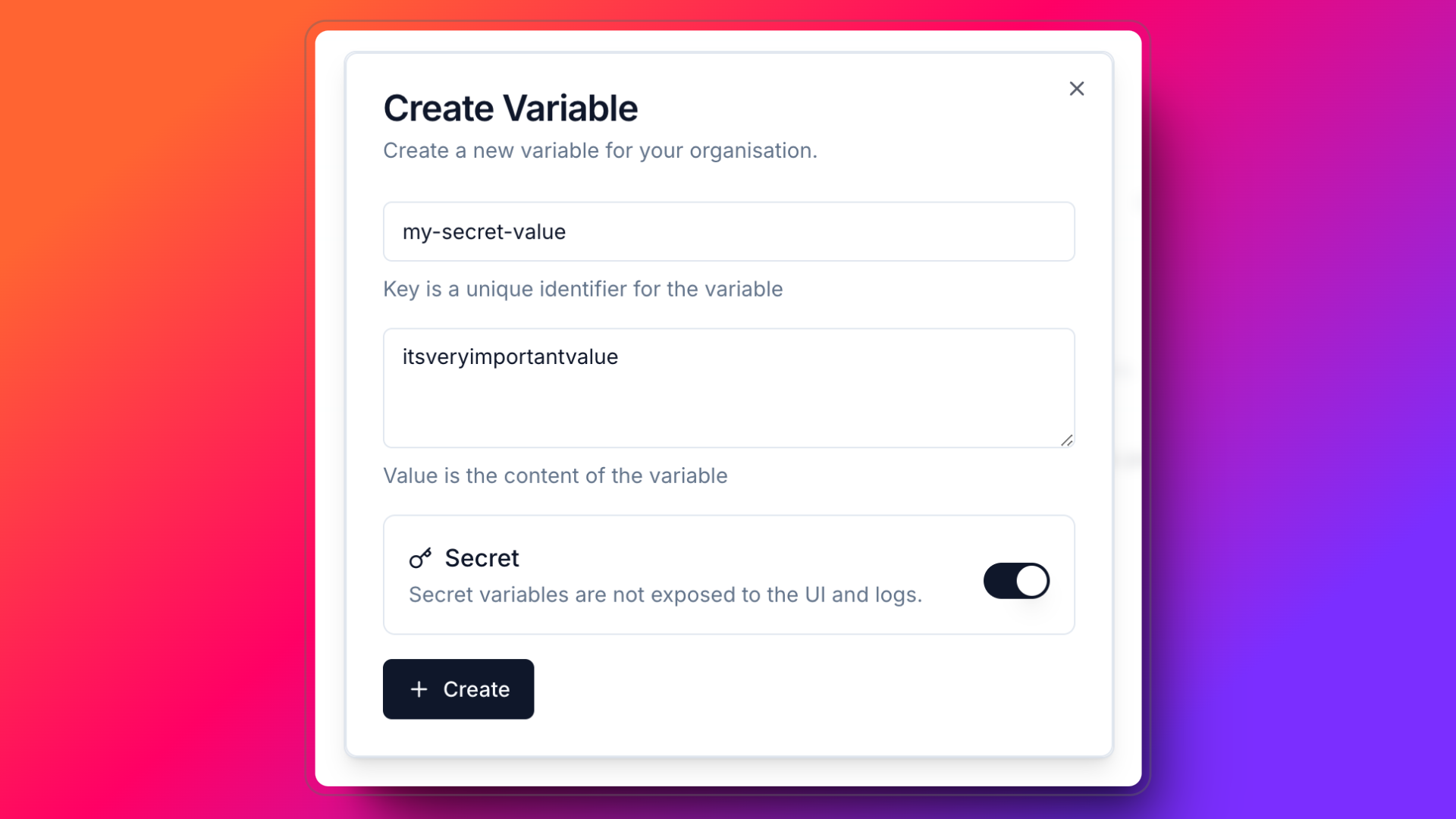
4. Enter a name for the Variable and value. Also, you can define whether the variable is secret or not. If you define the variable as secret, the value will be encrypted and will not be shown in the UI.
5. Click **Create**.
1. Click **Settings** in the top right corner session context menu.
2. Click **Variables** in the left sidebar.
3. Click **Create** to create a new Variable.
4. Enter a name for the Variable and value. Also, you can define whether the variable is secret or not. If you define the variable as secret, the value will be encrypted and will not be shown in the UI.
5. Click **Create**.
 ## Usage
You can use the Variable in your pipelines and notebooks. You can access the Variable value using the `Variable` class.
```python theme={null}
from datazone import Variable, transform
@transform
def my_transform():
variable = Variable(key="my-secret-variable")
print(str(variable))
```
Also in Notebooks, you can use the `Variable` class to access the Variable value.
## Usage
You can use the Variable in your pipelines and notebooks. You can access the Variable value using the `Variable` class.
```python theme={null}
from datazone import Variable, transform
@transform
def my_transform():
variable = Variable(key="my-secret-variable")
print(str(variable))
```
Also in Notebooks, you can use the `Variable` class to access the Variable value.