> ## Documentation Index
> Fetch the complete documentation index at: https://docs.datazone.co/llms.txt
> Use this file to discover all available pages before exploring further.
# API Keys
> API keys are used to authenticate requests to the Datazone API. You can create and manage your API keys from the Datazone dashboard.
API Keys is only available for the Professional and Enterprise plans. Check the [plans](https://www.datazone.co/pricing) for more information.
## Overview
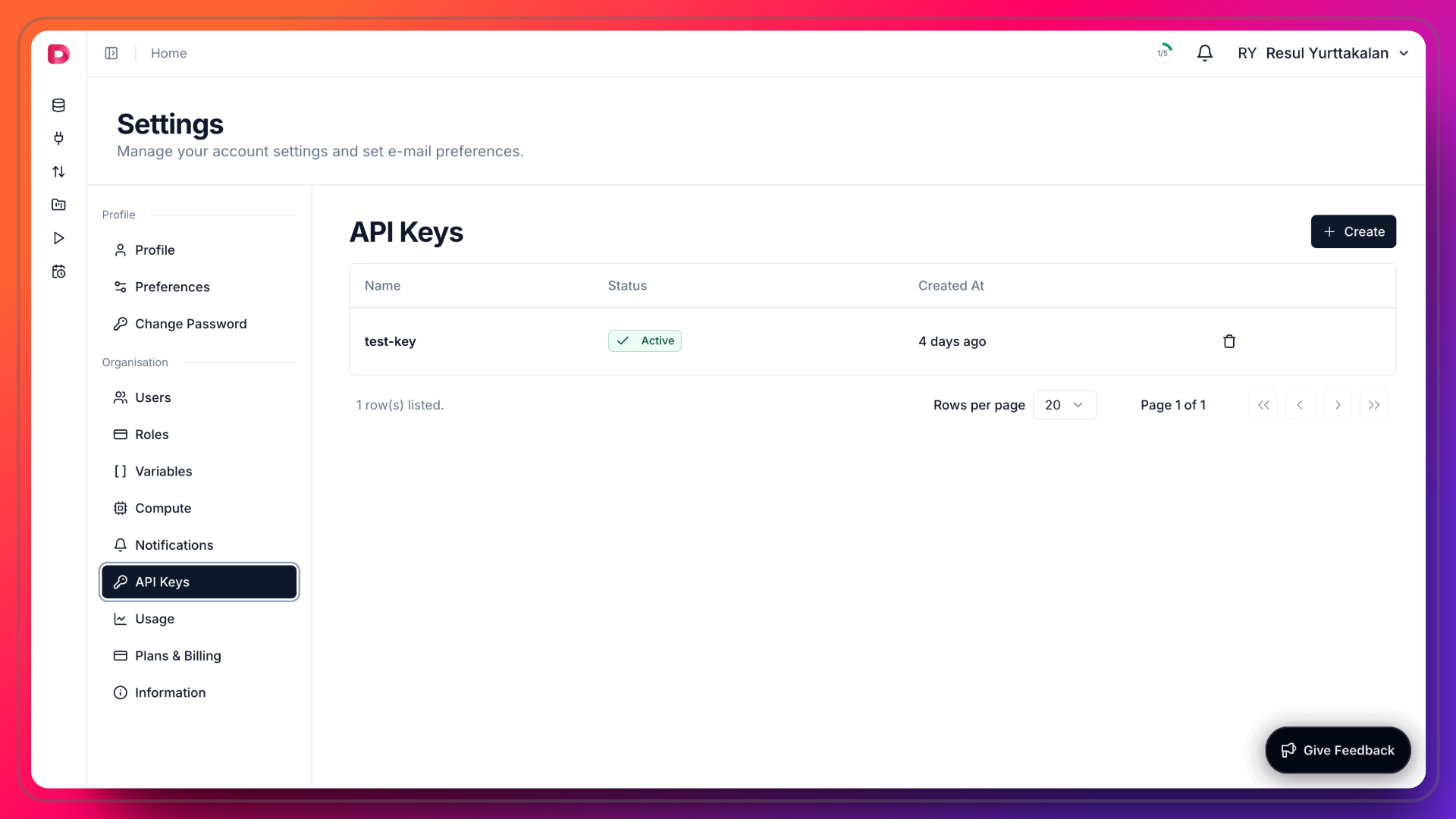 1. Click **Settings** in the top right corner session context menu.
2. Click **API Keys** in the left sidebar.
3. Click **Create** to create a new API key.
4. Enter a name for the API key and click **Create**.
5. Copy the API key with `dz-xxxxxx` format and store it in a secure place.
## Usage
You can use the API key to authenticate requests to the Datazone API. You can pass the API key in the `x-api-key` header.
```bash theme={null}
curl -X GET "https://app.datazone.co/api/v1/dataset/list" -H "x-api-key: dz-xxxxxx"
```
1. Click **Settings** in the top right corner session context menu.
2. Click **API Keys** in the left sidebar.
3. Click **Create** to create a new API key.
4. Enter a name for the API key and click **Create**.
5. Copy the API key with `dz-xxxxxx` format and store it in a secure place.
## Usage
You can use the API key to authenticate requests to the Datazone API. You can pass the API key in the `x-api-key` header.
```bash theme={null}
curl -X GET "https://app.datazone.co/api/v1/dataset/list" -H "x-api-key: dz-xxxxxx"
```