> ## Documentation Index
> Fetch the complete documentation index at: https://docs.datazone.co/llms.txt
> Use this file to discover all available pages before exploring further.
# Access Keys
> Create and manage access keys for programmatic access to your project resources
## Overview
**Access Keys** provide **programmatic access** to your project's file containers and resources. Each access key consists of an **Access Key ID** and a **Secret Access Key** that work like AWS credentials for S3-compatible operations.
## Creating an Access Key
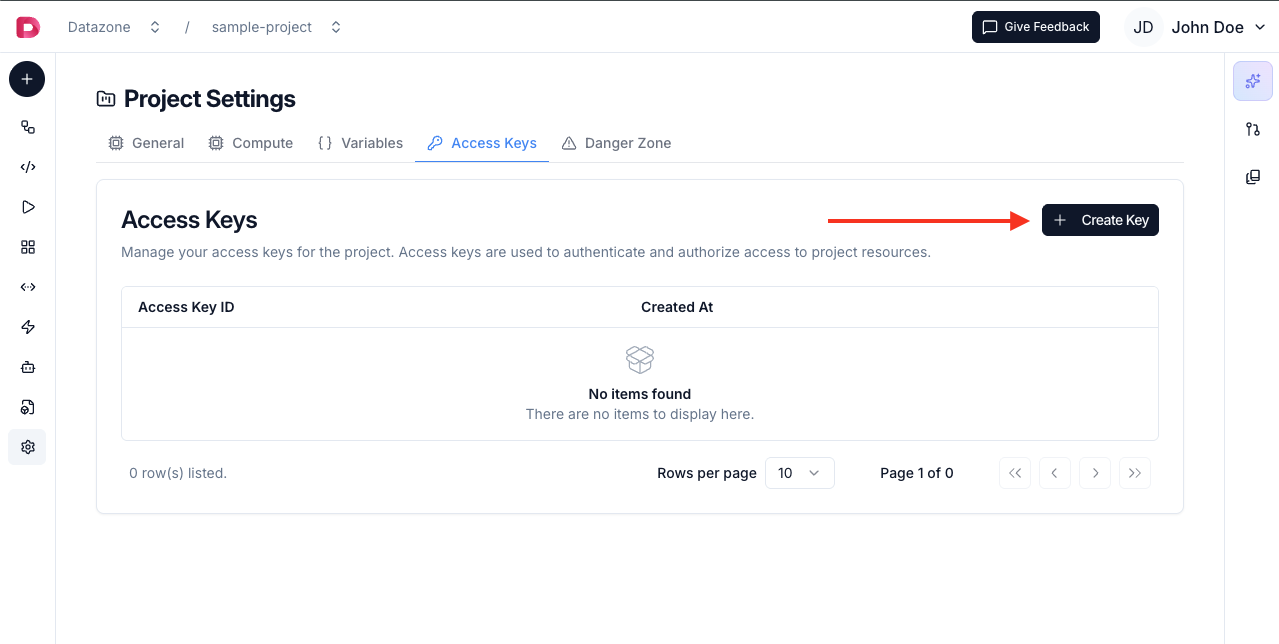
1. Open your **Project**
2. Click **Settings** in the project navigation
3. Navigate to **Access Keys** section
4. Click **Create Access Key**
 5. **Copy both credentials immediately** - the secret key won't be shown again
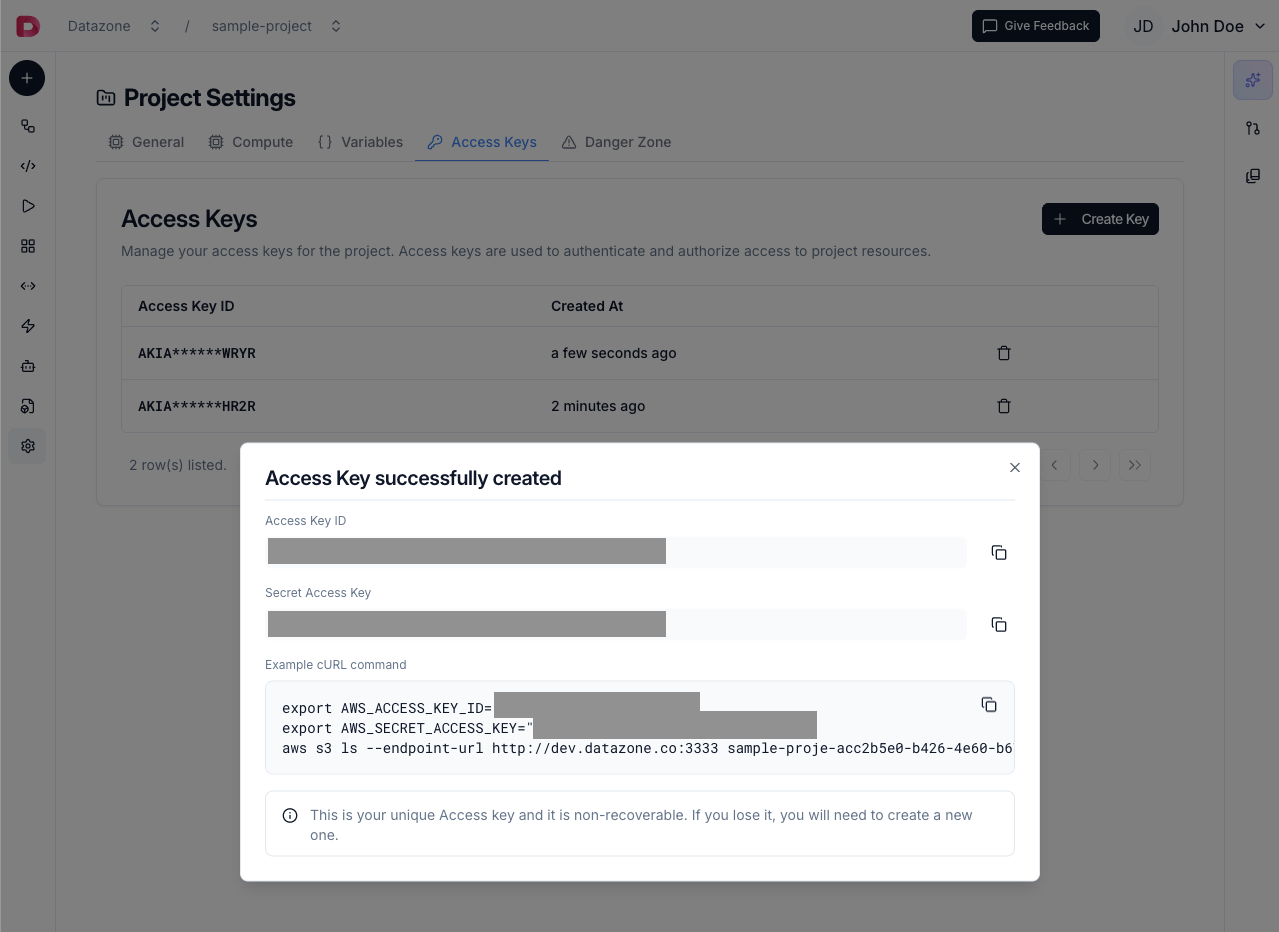 **Save your Secret Access Key immediately!** For security reasons, it cannot be retrieved after creation. If lost, you'll need to create a new access key.
## Access Key Components
Each access key has two parts:
* **Access Key ID** - Public identifier (can be viewed anytime)
* **Secret Access Key** - Private credential (shown only once at creation)
Both are required for **S3-compatible authentication**.
## Usage
Use access keys to connect to **File Containers** via:
* **AWS CLI** - Standard AWS S3 commands
* **Python (boto3)** - S3 client operations
* **JavaScript (AWS SDK)** - Node.js applications
* **Java (AWS SDK)** - Java applications
See the [File Container Connection Guide](/reference/development/file-container#local-access) for detailed examples.
Access keys are **project-specific**. Each project has its own set of access keys that only work with that project's resources.
## Environment Variables
Store credentials securely using environment variables:
```bash theme={null}
export AWS_ACCESS_KEY_ID="your-access-key-id"
export AWS_SECRET_ACCESS_KEY="your-secret-access-key"
```
Most AWS SDKs automatically read these variables.
## Next Steps
* [Connect to File Container](/tutorial/file-container-connection)
* [Learn About File Containers](/reference/development/file-container)
* [Explore AWS CLI Operations](https://awscli.amazonaws.com/v2/documentation/api/latest/reference/s3/index.html)
**Save your Secret Access Key immediately!** For security reasons, it cannot be retrieved after creation. If lost, you'll need to create a new access key.
## Access Key Components
Each access key has two parts:
* **Access Key ID** - Public identifier (can be viewed anytime)
* **Secret Access Key** - Private credential (shown only once at creation)
Both are required for **S3-compatible authentication**.
## Usage
Use access keys to connect to **File Containers** via:
* **AWS CLI** - Standard AWS S3 commands
* **Python (boto3)** - S3 client operations
* **JavaScript (AWS SDK)** - Node.js applications
* **Java (AWS SDK)** - Java applications
See the [File Container Connection Guide](/reference/development/file-container#local-access) for detailed examples.
Access keys are **project-specific**. Each project has its own set of access keys that only work with that project's resources.
## Environment Variables
Store credentials securely using environment variables:
```bash theme={null}
export AWS_ACCESS_KEY_ID="your-access-key-id"
export AWS_SECRET_ACCESS_KEY="your-secret-access-key"
```
Most AWS SDKs automatically read these variables.
## Next Steps
* [Connect to File Container](/tutorial/file-container-connection)
* [Learn About File Containers](/reference/development/file-container)
* [Explore AWS CLI Operations](https://awscli.amazonaws.com/v2/documentation/api/latest/reference/s3/index.html)