> ## Documentation Index
> Fetch the complete documentation index at: https://docs.datazone.co/llms.txt
> Use this file to discover all available pages before exploring further.
# Notebooks
> Notebooks are the interactive documents that you can write and run your code in Datazone.
## Overview
A Jupyter notebook is an interactive computing environment that enables you to create and share documents containing:
* Live code that you can run
* Rich text explanations
* Visualizations and charts
* Mathematical equations
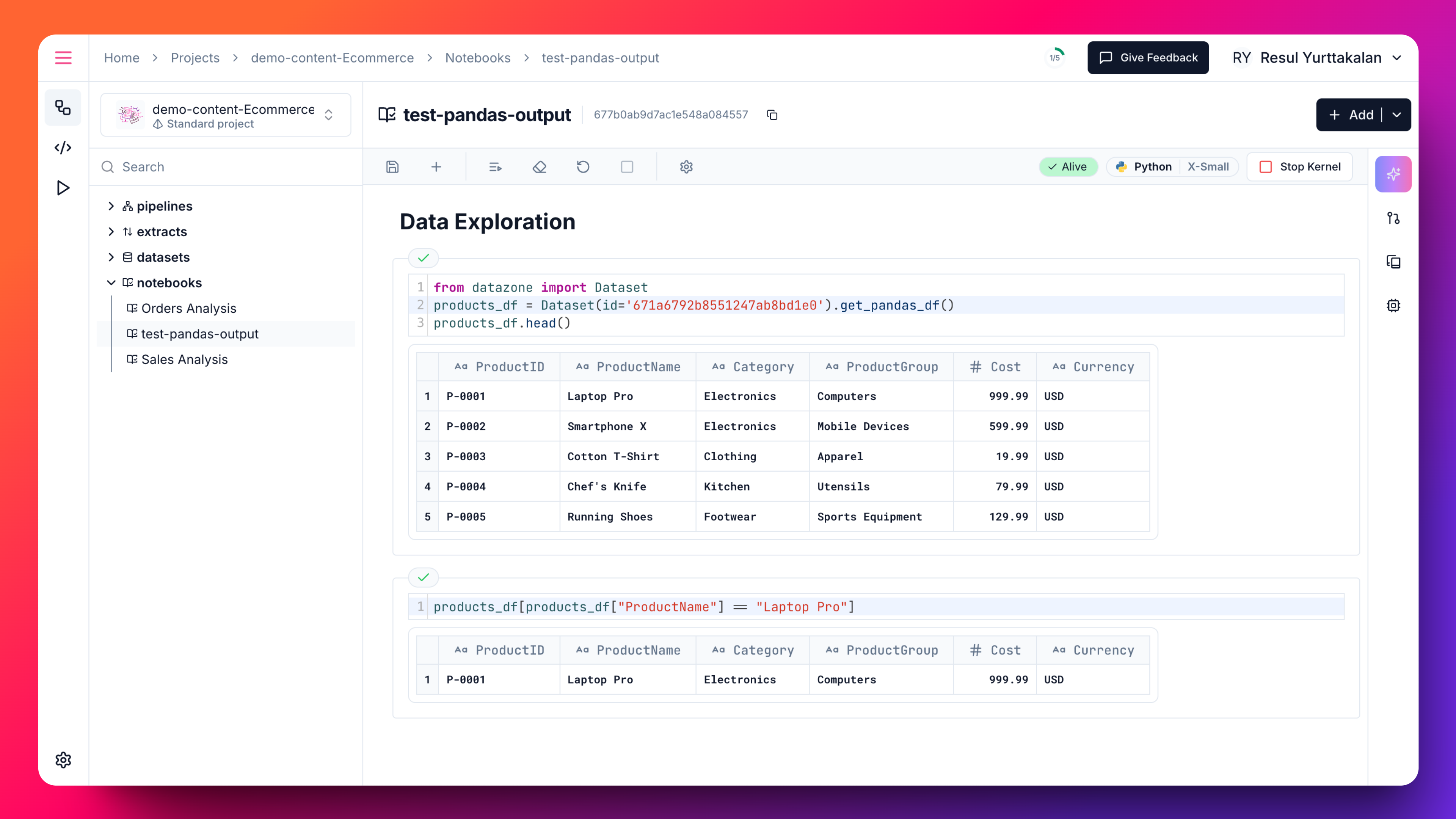 The notebook is divided into cells, which can contain either:
* **Code cells**: Where you write and execute code
* **Markdown cells**: Where you write formatted text, images and equations
When you run a code cell, the results appear directly below the cell, making it easy to:
* Experiment with data analysis
* Document your workflow
* Share your findings with others
* Create interactive reports
Datazone's integrated Jupyter notebook environment provides several key benefits:
* **Direct Data Access**: Instant connection to your data lakehouse
* **Security & Governance**: Built-in security controls and policies
* **Collaboration**: Easy notebook sharing and version control
* **Resource Management**: Fully managed compute resources
* **Pre-configured Environment**: Ready-to-use data science tools
The notebook is divided into cells, which can contain either:
* **Code cells**: Where you write and execute code
* **Markdown cells**: Where you write formatted text, images and equations
When you run a code cell, the results appear directly below the cell, making it easy to:
* Experiment with data analysis
* Document your workflow
* Share your findings with others
* Create interactive reports
Datazone's integrated Jupyter notebook environment provides several key benefits:
* **Direct Data Access**: Instant connection to your data lakehouse
* **Security & Governance**: Built-in security controls and policies
* **Collaboration**: Easy notebook sharing and version control
* **Resource Management**: Fully managed compute resources
* **Pre-configured Environment**: Ready-to-use data science tools