> ## Documentation Index
> Fetch the complete documentation index at: https://docs.datazone.co/llms.txt
> Use this file to discover all available pages before exploring further.
# Best Practices
> Optimize your agents for better performance, accuracy, and cost efficiency
# Best Practices
Follow these guidelines to build **effective, efficient agents** that deliver **accurate insights** while **managing costs**.
## Model Selection
### Choosing the Right Model
Different models excel at different tasks:
| Model Type | Best For | Cost | Speed |
| --------------------- | ---------------------------------------- | ------ | ------ |
| **GPT-4** | **Complex reasoning**, detailed analysis | High | Slower |
| **GPT-4o** | **Balanced performance**, general use | Medium | Medium |
| **GPT-4o-mini** | **Simple queries**, high volume | Low | Fast |
| **Claude 3.5 Sonnet** | **Code generation**, structured data | Medium | Medium |
| **Claude 3 Haiku** | **Quick answers**, basic queries | Low | Fast |
### Use Case Guidelines
**Complex Analysis** → GPT-4 or Claude 3.5 Sonnet
* **Multi-step reasoning** required
* **Deep data analysis**
* **Code generation** needs
**General Use** → GPT-4o or Claude 3.5 Sonnet
* **Balanced performance**
* Most common questions
* **Good for production** agents
**High Volume** → GPT-4o-mini or Claude 3 Haiku
* **Simple queries**
* **Cost-sensitive** applications
* **Fast response times** needed
Start with a **mid-tier model** (GPT-4o or Claude 3.5 Sonnet) and adjust based on actual usage patterns.
## Model Parameters
### Temperature
**Temperature** controls how **creative** or **focused** the agent's responses are:
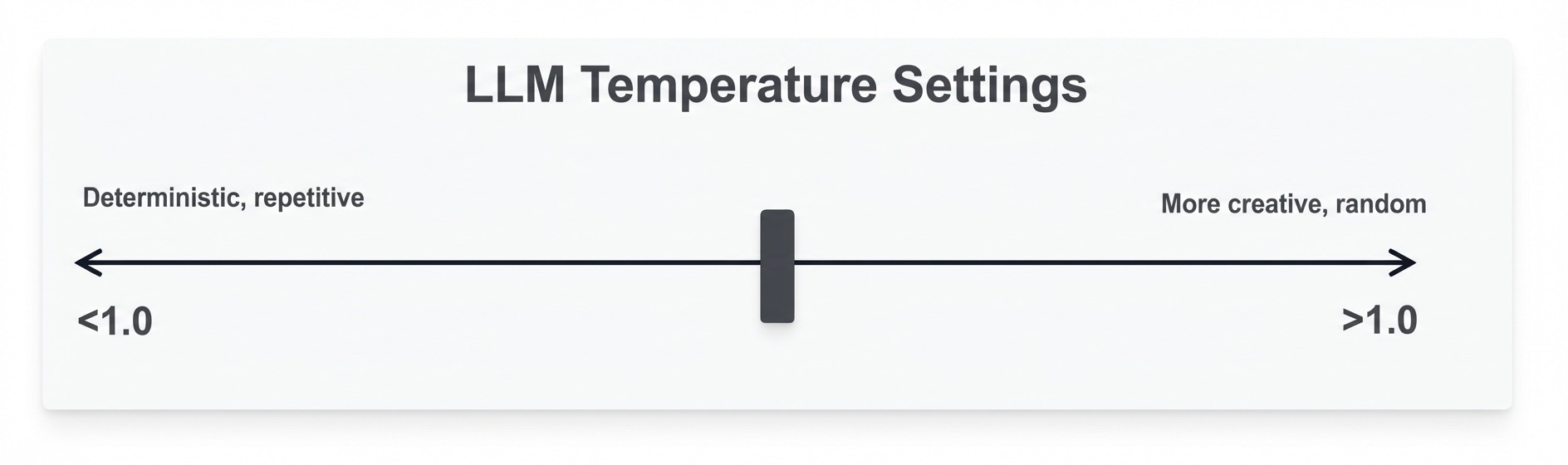 * **0.0 - 0.3** (Focused)
* **Consistent, deterministic** answers
* Best for: **Data queries**, factual analysis
* Use when **accuracy is critical**
* **0.4 - 0.7** (Balanced)
* Mix of **consistency and creativity**
* Best for: **General purpose** agents
* **Recommended default**
* **0.8 - 1.0** (Creative)
* **Varied, exploratory** responses
* Best for: Brainstorming, recommendations
* Use **sparingly for data agents**
For most data analysis agents, keep temperature between **0.2 and 0.5** for reliable results.
### Max Tokens
**Max Tokens** controls the **maximum response length**:
* **1,000 - 2,000** - **Short, focused** answers
* **2,000 - 4,000** - **Standard responses** (recommended)
* **4,000+** - **Detailed analysis** and long explanations
**Higher limits = more cost**. Set based on expected answer complexity.
## Data Source Optimization
### Use Views Instead of Datasets
**Why Views Are Better:**
* ✅ **Faster query execution**
* ✅ **Pre-filtered**, relevant data only
* ✅ **Better security** (control data access)
* ✅ **Lower token usage**
* ✅ **More accurate** agent responses
**Example:**
```
Instead of: Full "orders" dataset (millions of rows)
Create: "recent_orders" view (last 90 days, key columns)
```
The agent queries **faster** and gets **relevant data immediately**.
**Always use Views instead of raw datasets** for better performance and cost efficiency.
### Limit Data Sources
Only grant access to **necessary datasets/views**:
**Too Broad:**
* Sales data
* HR data
* Marketing data
* Finance data
**Focused:**
* Sales summary view
* Revenue trends view
**Fewer sources = faster decisions + lower costs**.
### Optimize View Definitions
Create views with:
* **Only necessary columns**
* **Pre-aggregated data** where possible
* **Relevant date ranges**
* **Indexed fields**
## Agent Instructions
### Write Clear System Prompts
**Good Instructions:**
```
You are a sales analytics expert. Help users analyze:
- Revenue trends and forecasting
- Customer behavior and segmentation
- Product performance metrics
Always provide specific numbers and dates. When showing
trends, create visualizations. Be concise and actionable.
```
**Poor Instructions:**
```
You are helpful. Answer questions about data.
```
### Define Scope
Tell the agent:
* **What data** it has access to
* **What questions** it should handle
* **What format** responses should take
* Any **business rules** to follow
### Include Examples
Provide **specific examples** in instructions:
```
When asked about "top customers," show:
1. Customer name
2. Total revenue
3. Number of orders
4. Comparison to average
Example format:
"Top 5 customers by revenue:
1. Acme Corp - $150K (45 orders) - 3x average
..."
```
## Cost Optimization
### Control Token Usage
**Input Tokens:**
* Keep **system instructions concise**
* Limit **conversation history** length
* Use **focused data sources**
**Output Tokens:**
* Set **appropriate max\_tokens**
* Request **concise answers** when possible
* Avoid asking for **repeated information**
### Monitor Spending
* Review **token usage per conversation**
* **Track costs by agent**
* Set up **alerts for high usage**
* Regularly **audit agent performance**
### Batch Similar Questions
If running automated analysis:
* **Group related queries**
* **Reuse context** where possible
* **Cache frequently** accessed data
## Agent Configuration
### Tool Selection
Enable **only what you need**:
**Optional Tools:**
* **Chart Generator** - For data visualizations (recommended for most agents)
* **Python Executor** - For complex calculations and advanced analytics
* **Web Search** - For external context and current information
**Query Executor** is enabled by default and cannot be disabled.
### Data Access Control
* Grant **minimum necessary access**
* Use **views to restrict data**
* **Separate agents** by use case
* **Review permissions** regularly
### Regular Maintenance
* **Update instructions** based on user feedback
* **Refine data sources** as needs change
* **Adjust model selection** for cost/performance
* **Archive unused agents**
## Query Performance
### Faster Queries
1. **Use Views** - **Pre-filtered, optimized data**
2. **Limit Result Sets** - Ask for **"top 10"** not "all"
3. **Specific Time Ranges** - **"last month"** not "all time"
4. **Indexed Columns** - Ensure views use **indexed fields**
### Example Optimizations
**Slow:**
"Show all customer transactions"
**Fast:**
"Show top 20 customers by revenue this quarter"
## Testing & Validation
### Test Common Questions
Before deploying:
* Ask **typical user questions**
* **Verify data accuracy**
* Check **tool usage patterns**
* Measure **response times**
### Validate Answers
* Compare agent responses to **known results**
* **Verify calculations** manually
* Check **chart accuracy**
* Test **edge cases**
### Iterate
* Gather **user feedback**
* **Refine instructions**
* **Adjust parameters**
* **Optimize data sources**
## Security
### Data Access
* Only grant **necessary permissions**
* Use **views to limit sensitive data**
* **Review agent access** regularly
* **Audit query logs**
### Credentials
* **Secure model account** API keys
* **Rotate credentials** periodically
* **Monitor for unusual usage**
* Implement **access controls**
## Next Steps
* [Create Your First Agent](/reference/agents/overview)
* [Configure Model Accounts](/reference/development/model-accounts)
* [Set Up Data Views](/reference/integration/views)
* [Chat with Your Agent](/reference/agents/chat)
* **0.0 - 0.3** (Focused)
* **Consistent, deterministic** answers
* Best for: **Data queries**, factual analysis
* Use when **accuracy is critical**
* **0.4 - 0.7** (Balanced)
* Mix of **consistency and creativity**
* Best for: **General purpose** agents
* **Recommended default**
* **0.8 - 1.0** (Creative)
* **Varied, exploratory** responses
* Best for: Brainstorming, recommendations
* Use **sparingly for data agents**
For most data analysis agents, keep temperature between **0.2 and 0.5** for reliable results.
### Max Tokens
**Max Tokens** controls the **maximum response length**:
* **1,000 - 2,000** - **Short, focused** answers
* **2,000 - 4,000** - **Standard responses** (recommended)
* **4,000+** - **Detailed analysis** and long explanations
**Higher limits = more cost**. Set based on expected answer complexity.
## Data Source Optimization
### Use Views Instead of Datasets
**Why Views Are Better:**
* ✅ **Faster query execution**
* ✅ **Pre-filtered**, relevant data only
* ✅ **Better security** (control data access)
* ✅ **Lower token usage**
* ✅ **More accurate** agent responses
**Example:**
```
Instead of: Full "orders" dataset (millions of rows)
Create: "recent_orders" view (last 90 days, key columns)
```
The agent queries **faster** and gets **relevant data immediately**.
**Always use Views instead of raw datasets** for better performance and cost efficiency.
### Limit Data Sources
Only grant access to **necessary datasets/views**:
**Too Broad:**
* Sales data
* HR data
* Marketing data
* Finance data
**Focused:**
* Sales summary view
* Revenue trends view
**Fewer sources = faster decisions + lower costs**.
### Optimize View Definitions
Create views with:
* **Only necessary columns**
* **Pre-aggregated data** where possible
* **Relevant date ranges**
* **Indexed fields**
## Agent Instructions
### Write Clear System Prompts
**Good Instructions:**
```
You are a sales analytics expert. Help users analyze:
- Revenue trends and forecasting
- Customer behavior and segmentation
- Product performance metrics
Always provide specific numbers and dates. When showing
trends, create visualizations. Be concise and actionable.
```
**Poor Instructions:**
```
You are helpful. Answer questions about data.
```
### Define Scope
Tell the agent:
* **What data** it has access to
* **What questions** it should handle
* **What format** responses should take
* Any **business rules** to follow
### Include Examples
Provide **specific examples** in instructions:
```
When asked about "top customers," show:
1. Customer name
2. Total revenue
3. Number of orders
4. Comparison to average
Example format:
"Top 5 customers by revenue:
1. Acme Corp - $150K (45 orders) - 3x average
..."
```
## Cost Optimization
### Control Token Usage
**Input Tokens:**
* Keep **system instructions concise**
* Limit **conversation history** length
* Use **focused data sources**
**Output Tokens:**
* Set **appropriate max\_tokens**
* Request **concise answers** when possible
* Avoid asking for **repeated information**
### Monitor Spending
* Review **token usage per conversation**
* **Track costs by agent**
* Set up **alerts for high usage**
* Regularly **audit agent performance**
### Batch Similar Questions
If running automated analysis:
* **Group related queries**
* **Reuse context** where possible
* **Cache frequently** accessed data
## Agent Configuration
### Tool Selection
Enable **only what you need**:
**Optional Tools:**
* **Chart Generator** - For data visualizations (recommended for most agents)
* **Python Executor** - For complex calculations and advanced analytics
* **Web Search** - For external context and current information
**Query Executor** is enabled by default and cannot be disabled.
### Data Access Control
* Grant **minimum necessary access**
* Use **views to restrict data**
* **Separate agents** by use case
* **Review permissions** regularly
### Regular Maintenance
* **Update instructions** based on user feedback
* **Refine data sources** as needs change
* **Adjust model selection** for cost/performance
* **Archive unused agents**
## Query Performance
### Faster Queries
1. **Use Views** - **Pre-filtered, optimized data**
2. **Limit Result Sets** - Ask for **"top 10"** not "all"
3. **Specific Time Ranges** - **"last month"** not "all time"
4. **Indexed Columns** - Ensure views use **indexed fields**
### Example Optimizations
**Slow:**
"Show all customer transactions"
**Fast:**
"Show top 20 customers by revenue this quarter"
## Testing & Validation
### Test Common Questions
Before deploying:
* Ask **typical user questions**
* **Verify data accuracy**
* Check **tool usage patterns**
* Measure **response times**
### Validate Answers
* Compare agent responses to **known results**
* **Verify calculations** manually
* Check **chart accuracy**
* Test **edge cases**
### Iterate
* Gather **user feedback**
* **Refine instructions**
* **Adjust parameters**
* **Optimize data sources**
## Security
### Data Access
* Only grant **necessary permissions**
* Use **views to limit sensitive data**
* **Review agent access** regularly
* **Audit query logs**
### Credentials
* **Secure model account** API keys
* **Rotate credentials** periodically
* **Monitor for unusual usage**
* Implement **access controls**
## Next Steps
* [Create Your First Agent](/reference/agents/overview)
* [Configure Model Accounts](/reference/development/model-accounts)
* [Set Up Data Views](/reference/integration/views)
* [Chat with Your Agent](/reference/agents/chat)