> ## Documentation Index
> Fetch the complete documentation index at: https://docs.datazone.co/llms.txt
> Use this file to discover all available pages before exploring further.
# Introduction
> Build, manage, and serve your data pipelines and intelligent applications with ease using Datazone in minutes.
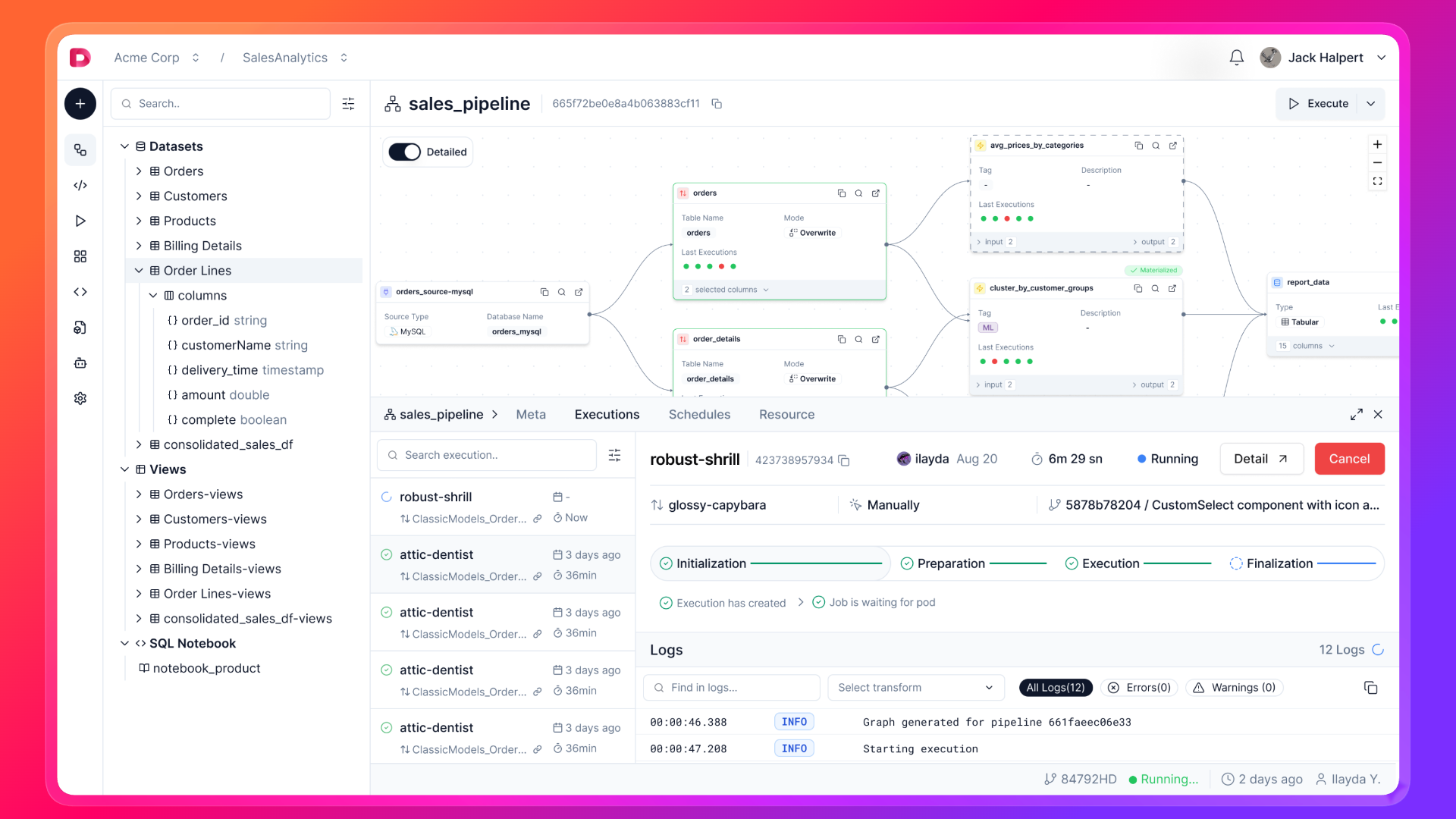 Datazone is a modern data platform that empowers you to create, orchestrate, and analyze data workflows with a few clicks, while building interactive apps and deploying AI-powered agents.
* Create your **[Sources](/key-concepts#source)** and integrate them with your data lakehouse.
* Define your source entities with **[Extracts](/key-concepts#extract)**.
* Build **[Pipelines](/key-concepts#pipeline)** to clean, filter, and manipulate your data.
* Orchestrate your pipelines with the **[Schedule](/key-concepts#schedule)** feature.
* Analyze your data with the **[Notebook](/key-concepts#notebook)**.
* Create **[Intelligent Apps](/key-concepts#intelligent-app)** for interactive dashboards, charts, and real-time insights.
* Deploy **[Agents](/key-concepts#agent)** for automated data processing, AI-driven analytics, and custom workflows.
## Getting Started
Start your journey by setting up your environment and building your first project.
You need an account to create and manage your data pipelines and apps.
Install the Datazone Python CLI to interact with the Datazone API via command line.
## Next Steps
Follow our step-by-step guide to create your first project, pipelines, and schedules.
Build interactive dashboards from your pipelines with drag-and-drop components
and AI chat.
Integrate Datazone with your applications using REST APIs, webhooks, and
embedding options.
Learn more about how Datazone handles Sources, Extracts, Pipelines, and Agents.
Datazone is a modern data platform that empowers you to create, orchestrate, and analyze data workflows with a few clicks, while building interactive apps and deploying AI-powered agents.
* Create your **[Sources](/key-concepts#source)** and integrate them with your data lakehouse.
* Define your source entities with **[Extracts](/key-concepts#extract)**.
* Build **[Pipelines](/key-concepts#pipeline)** to clean, filter, and manipulate your data.
* Orchestrate your pipelines with the **[Schedule](/key-concepts#schedule)** feature.
* Analyze your data with the **[Notebook](/key-concepts#notebook)**.
* Create **[Intelligent Apps](/key-concepts#intelligent-app)** for interactive dashboards, charts, and real-time insights.
* Deploy **[Agents](/key-concepts#agent)** for automated data processing, AI-driven analytics, and custom workflows.
## Getting Started
Start your journey by setting up your environment and building your first project.
You need an account to create and manage your data pipelines and apps.
Install the Datazone Python CLI to interact with the Datazone API via command line.
## Next Steps
Follow our step-by-step guide to create your first project, pipelines, and schedules.
Build interactive dashboards from your pipelines with drag-and-drop components
and AI chat.
Integrate Datazone with your applications using REST APIs, webhooks, and
embedding options.
Learn more about how Datazone handles Sources, Extracts, Pipelines, and Agents.